A clear silhouette on white, with no shadow.
Kaufland describes its first photo as a clear silhouette of the product on a white background, and it does not allow shadows, frames or empty white space around the product. Herofab's packshot studio delivers the product alone on white from a phone photo, and its shadow setting includes none.
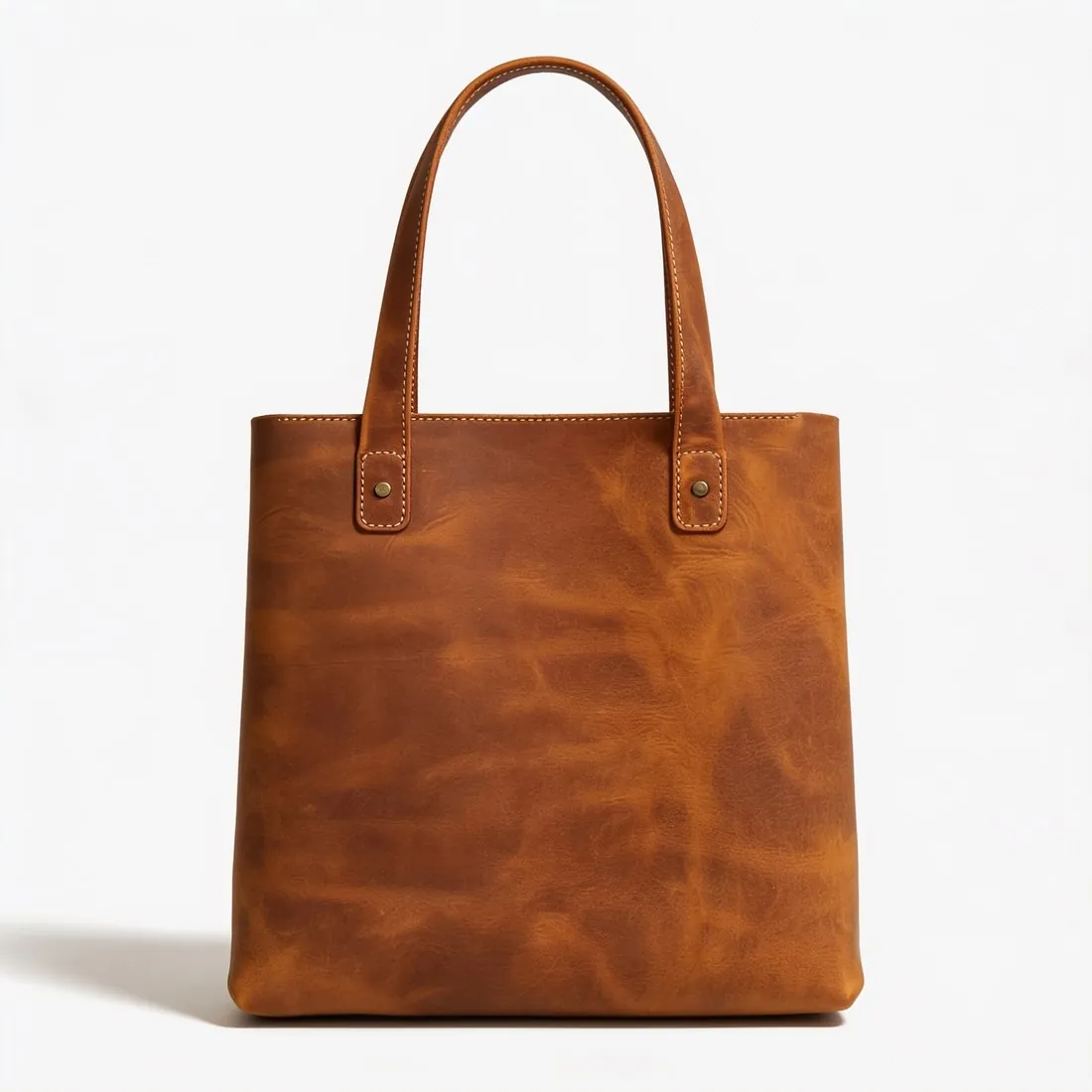

Kaufland's first photo, rule by rule.
- 1
The shadow set to none
Many packshots rest on a soft contact shadow; Kaufland does not want one around the product. The packshot studio has three shadow settings: soft, none and reflection. For a Kaufland first photo choose none, then look under and beside the product in the delivered image for any grey trace that remains.
- 2
An outline that reads at once
A clear silhouette means the outer line of the product stands unbroken against the white: handles upright, straps not crossing the body, nothing leaning on it. White, cream and transparent products are the hard case, because product and background can merge. Check their edges at full size before uploading.
- 3
Little white space, enough pixels
Frames and white space around the product are both excluded, so the product should fill the image and no border is drawn around it. A packshot is centred and fills most of the frame. Kaufland's zoom needs more pixels than its minimum size, and 4K output passes that zoom mark.
What Kaufland asks for.
Source: Kaufland Global Marketplace — Product data guidelines. Checked 24 September 2026.
- Size
- At least 1,024 pixels in height or width
- Zoom
- At least 2,048 pixels in height or width
- File size
- Up to 10 MB
- First photo
- A clear silhouette of the product on a white background
- Not allowed
- Shadows, frames or white space around the product
Photographing for an unbroken outline.
- Place the product on a surface that contrasts with it, a pale bag on a dark table for example, so that its whole edge is recorded clearly in the source photo.
- Give it a compact shape, straps tucked and handles upright, since empty space around the product is what Kaufland does not want.
- Light it softly from the front; the tool is briefed to use only the product and leaves a cast shadow behind, but a side lost in darkness has no edge left to keep.
Product photos for Kaufland, answered.
Can the image be downloaded for Kaufland's zoom?
After delivery, Kaufland is chosen as the marketplace and the file is made from the delivered image without cropping, in a size within the limits Kaufland publishes. Kaufland measures size along height or width and asks for more pixels for zoom than for its minimum; the 4K option passes that zoom mark.
Which images follow the first photo on Kaufland?
The silhouette-on-white description is written for the first photo. The additional images can show other angles from the same upload: three-quarter, side or top-down packshots, or on-model views made with Virtual try-on. Kaufland lists shadows and frames among what is not allowed, so the shadow setting stays on none for further packshots as well.
Is there a free way to test a Kaufland image?
Yes. Herofab's free Kaufland checker reads each file in the browser and tests it against the published rules, and the image is not uploaded anywhere. What it cannot do is compare the image with the product: the seller looks at small label text, colour and hardware, and Kaufland decides what it accepts.
How much does it cost?
4 credits per image, plus one credit for 4K. The cost is shown before you generate, and if a job fails the credits are returned. The 20 free credits at sign-up cover 5 images with this tool.
Your next collection, shot this week.
20 credits at sign-up, no card required. Images made with free credits carry a watermark.