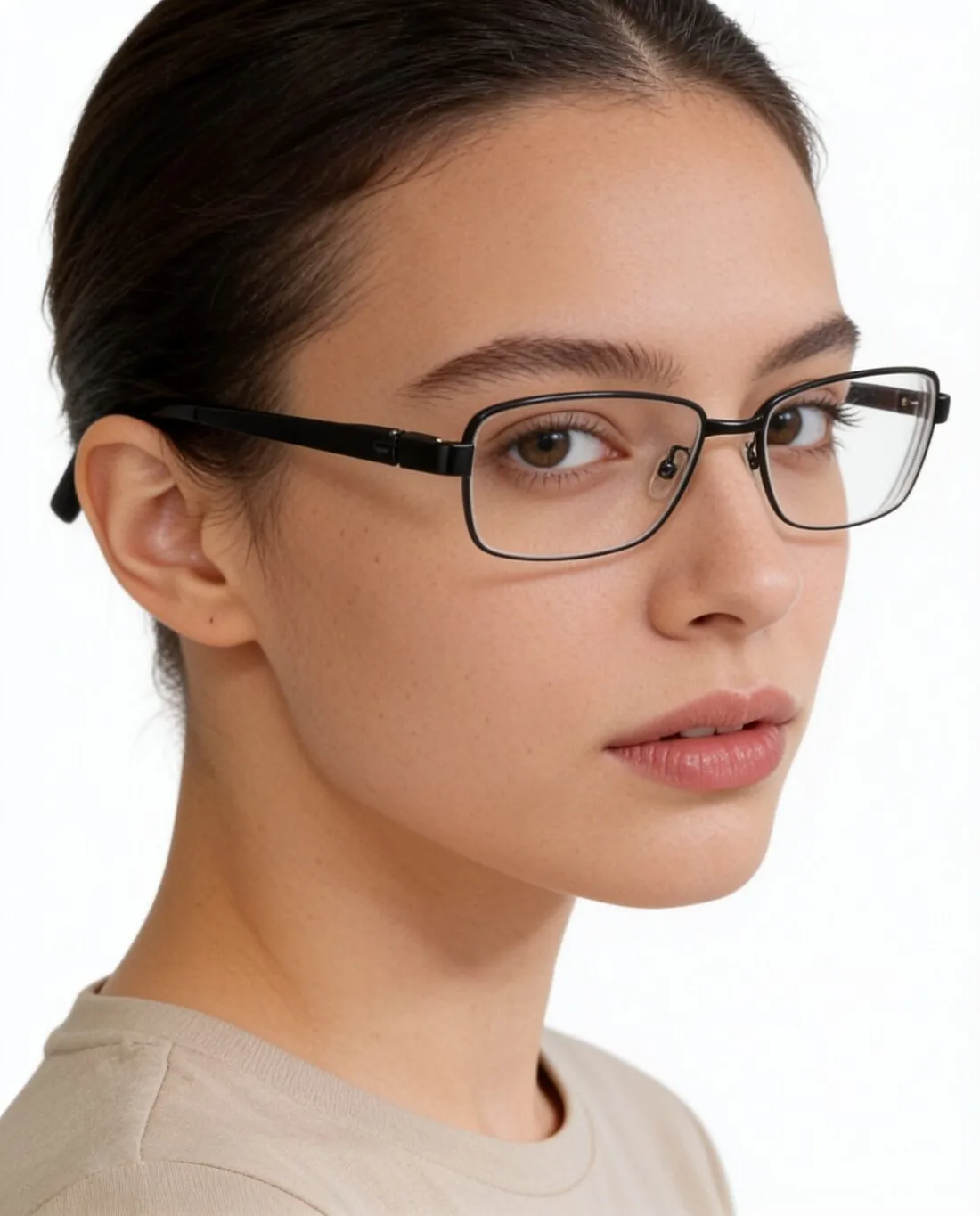
Glasses on a face, from a product photo.
Upload eyeglasses or sunglasses as a plain product photo. Herofab puts them on a model in a head-and-shoulders close-up and is briefed to keep the frame shape, the colour and the lenses.
The inputs behind a real result.
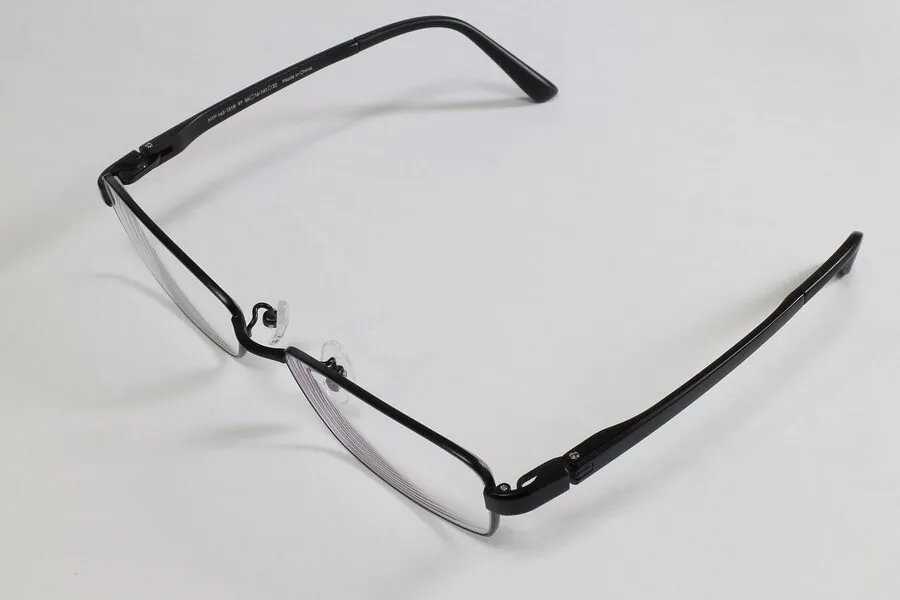
One product photo of a black metal frame, and the image delivered from it — nothing retouched by hand.
- Upload a photoProduct photo
- Result5 credits per image · 4K +1Herofab
Made with Virtual try-on — choose the product type, and the frame follows it.
Open the tool →A frame for each piece.
Glasses are judged on a face, close up, so eyewear gets a head-and-shoulders frame. Pose and back view are not offered for eyewear.
- Eyeglasses
- A head-and-shoulders close-up in a slight three-quarter turn; clear lenses with the eyes visible behind them and only soft reflections.
- Sunglasses
- The same close frame, with the lens tint and any gradient or mirror finish briefed to stay as in your photo.
What you can set.
Every option below is part of the Herofab studio.
- Eyewear
- Eyeglasses and sunglasses
- Kept
- Briefed to keep the frame shape, rim thickness, colour and finish, the bridge, hinges and temples, any logo on the temple, and the lens shape and tint
- Models
- A ready-made model, one you created, or a model photo you have permission to use
- Backgrounds
- Studio white, studio grey, outdoor, lifestyle, a location, the model photo's own, or your own image
- Expression
- Neutral or smile
- Formats
- 1:1, 4:5, 3:4, 9:16 or 16:9 · 2K or 4K
- Marketplace sizing
- 20 marketplace sizes at download, without cropping or extra credits
Eyewear studio, answered.
What photo of the glasses do I need?
A sharp photo of the glasses on their own, with the whole frame and both temples visible.
Do sunglasses keep their lens colour?
They are briefed to: the lens tint and any gradient or mirror finish stay as in your photo. Eyeglasses keep clear lenses, so the eyes show through.
Can I use my own model?
Yes. Upload a photo of the model and confirm that you have their permission, or save a created model to your library and use it across a whole collection.
Where should I look first before I publish?
At the hinges, the temples and any logo on the frame. Thin metal parts and small lettering are the details worth a close look.
How much does it cost?
5 credits per image, plus one credit for 4K. The cost is shown before you generate, and if a job fails the credits are returned. The 20 free credits at sign-up cover 4 images with this tool.
Source photos: Yapparina (CC0)

Your next collection, shot this week.
20 free credits when early access opens. No card required.