Language: EN
Start free

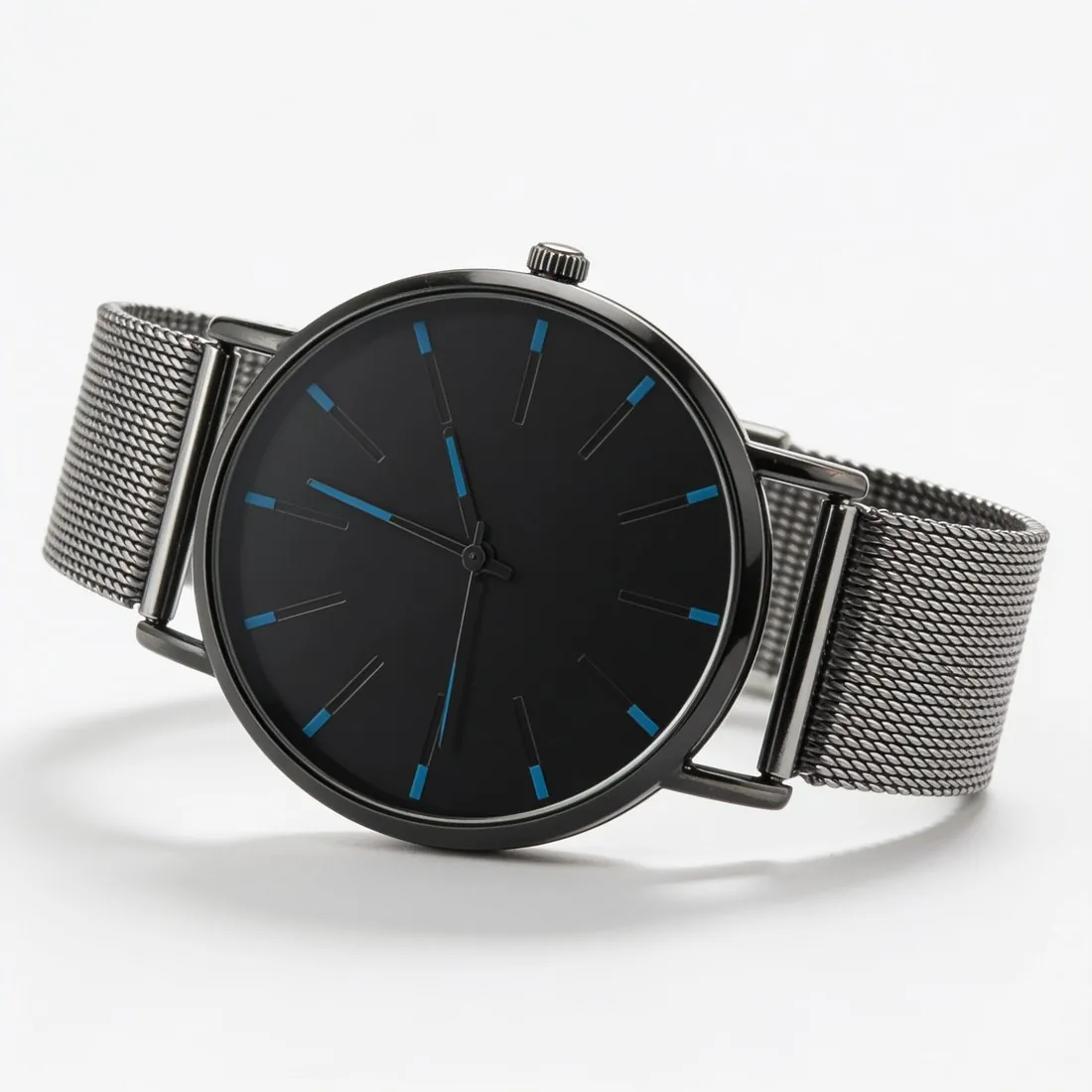
Alone, from the front, on white: the Cdiscount product image.

Cdiscount's product-sheet tutorial asks for the product shown alone, from the front, on a white background, filling the image without pixelation, with a single view per image. Herofab's packshot studio delivers that view from a phone photo, and further angles as separate images.

Black-dial watch with a mesh strap on white, three-quarter view · Packshot studio
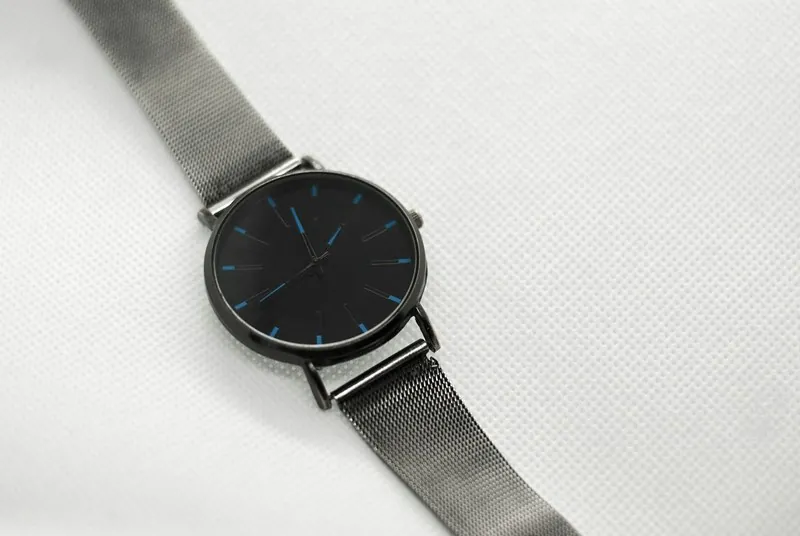
Source photo: Plain product photo. Made with Herofab · Packshot studio
Worth knowing

How Cdiscount reads a product image.

  1. 1

    One product, one view, one image

    The product is shown alone and from the front, and several views may not be combined in one image. A collage of front, back and detail therefore becomes separate files. Every packshot shows the product once; the front, three-quarter, side and top-down views are each generated as an image of their own.

  2. 2

    Nothing written or drawn on it

    Cdiscount excludes offer details, text, illustrations, inset images, logos, drawings and watermarks, even where they are meant to show a feature of the product. An arrow pointing at a zip or an inset of the lining belongs in none of the images. With a plan or a credit pack, Herofab images come without watermark or added text.

  3. 3

    A short set from different angles

    A product sheet holds only a small number of images, and the selling guide advises several high-resolution views from different angles. For shoes the tutorial asks for several views and a close-up of the material on white; for clothing, a front view, a back view and a material close-up. Decide the set before generating.

In marketplace rules

What Cdiscount asks for.

Source: Cdiscount (Octopia) — Product management | Octopia API documentation (8 July 2026). Checked 27 September 2026.

Size
At least 500 × 500 pixels, with no maximum limit
File
JPG, PNG, GIF, BMP or WEBP, up to 5 MB per image
Number
At least one and up to six images per product, sent as reachable URLs; Octopia's selling guide says customers want to see at least three or four images before buying, showing the product from different angles
Product images
The product shown alone, from the front, on a white background, filling the image without pixelation; no multiple views in one image
Clothing and shoes
Clothing: a front view, a back view and a close-up of the material on a white background. Shoes: several views of the shoe and a close-up of the material on a white background
Not allowed
Offer details, text, illustrations, inset images, logos, drawings or watermarks, even to show the product's features, and outbound links; for clothing and erotic products, no visible intimate parts and no suggestive or provocative model poses
Document dates
Size, file and number limits come from Octopia's API documentation, last updated 8 July 2026; the product-image, clothing and shoe rules come from Cdiscount's product-sheet tutorial (V 2.0, 6 November 2017) — check the Seller Zone for the current version
Image URLs
Sent in sellerPictureUrls; the URLs must be reachable from Octopia's infrastructure, must not enforce network redirects and must allow GET requests made without a User-Agent
Source photo

Source photos for a Cdiscount product sheet.

  • Photograph the front straight on with the product alone in the frame, since the front on white is the view Cdiscount's tutorial describes.
  • For clothing and shoes, also take a back photo and a close-up of the material: the tutorial asks for those views, and they cannot be derived from the front.
  • Fill the phone's frame with the product and keep it sharp; the tutorial wants an image free of pixelation, and a small, soft photo holds too little detail to build on.

Why an image never reaches the product sheet

Images arrive as HTTPS addresses, and the conditions on those addresses are technical: each must be reachable from the marketplace's infrastructure, must not enforce network redirects and must allow GET requests sent without a User-Agent. A file behind a forwarding link or a bot filter can open in a browser and still not be fetched.

Weight and count are the other hard limits. Each file is capped at a stated weight, the accepted formats are listed, and a product takes at least one and at most six images, so a gallery planned for a larger set elsewhere has to be cut down. Outbound links in the images are excluded as well.

Front, back and material close-up from Herofab tools

For clothing, the tutorial's three views map onto two tools: Ghost mannequin delivers the front and the back on white, the back from a photo of the back, and Detail shot frames the fabric texture as the material close-up. For shoes, Packshot studio gives side, three-quarter and top-down views, and Detail shot frames the material or the sole.

Other products start from Packshot studio's front view on white, the image the tutorial describes, with further angles generated as separate files. Where a model is used for clothing, Virtual try-on works with poses such as standing, walking or hands in pockets, and each result is checked against the exclusion of suggestive poses before upload.

Six places, one host and a weight check

With six images at most, a garment's set can be front, back and material close-up, plus up to three more angles or details. Herofab delivers the files; hosting them at addresses that meet the fetch conditions is the seller's step. No Herofab download size is set for this marketplace.

Two free presets serve the remaining checks. The checker reads the white background of a main image along its edges, and the compressor saves a JPG under the weight cap, keeping the shorter side at or above the minimum. The compressed file carries no embedded AI marker; the picture changes only through compression.

Questions

Product photos for Cdiscount, answered.

Are the Cdiscount image rules shown here current?

They come from two documents of different age. The size, file and number limits are taken from Octopia's API documentation, the more recent of the two. The rules on product images, clothing and shoes come from an older product-sheet tutorial, so the seller checks the Seller Zone for the current version before relying on them.

Is a Herofab image large enough for Cdiscount?

Cdiscount sets a minimum size and no maximum, and it caps the weight of each file. Herofab delivers in 2K, or 4K as an option, both well above that minimum. Images are submitted as secure web addresses that have to be reachable, so the downloaded file is first hosted where Cdiscount can fetch it.

How should clothing be shown on Cdiscount?

The tutorial lists a front view, a back view and a close-up of the material, on a white background. Ghost mannequin delivers a garment's front or back on white without a model, from a hanger or flat-lay photo. Where a model is shown, the tutorial rules out visible intimate parts and suggestive or provocative poses.

Why can an image that opens in a browser still fail to reach the product sheet?

Because the marketplace fetches images itself, under conditions a browser does not test: the address must be reachable from its infrastructure, enforce no network redirects and accept GET requests sent without a User-Agent. A direct file link is a safer host than a page that forwards.

Which file formats can be sent for a product image?

JPG, PNG, GIF, BMP or WEBP, each under the weight cap. Herofab downloads as PNG or JPG, both on that list; the JPG is the lighter file, and the free compressor preset also writes JPG when a file is still too heavy.

How much does it cost?

4 credits per image, plus one credit for 4K. In US dollars that is $0.16 to $0.48 per image before tax, from the largest plan to the smallest credit pack. The cost is shown before you generate, and if a job fails the credits are returned. The 20 free credits at sign-up cover 5 images with this tool.

Examples by product
Get started

Your next collection, shot this week.

20 credits at sign-up, no card required. Images made with free credits carry a watermark. Herofab also removes the watermark from those images once credits are purchased.