Language: EN
Start free

Bridal gowns, worn without a fitting.

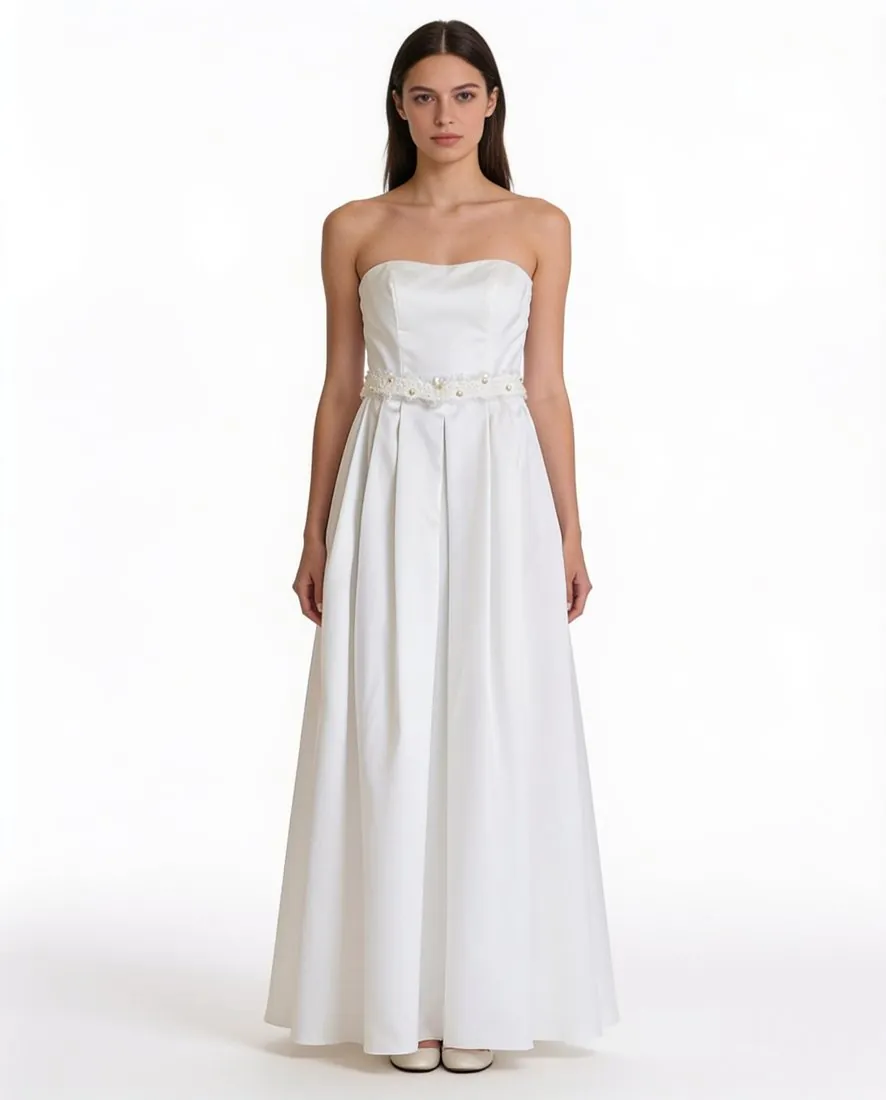
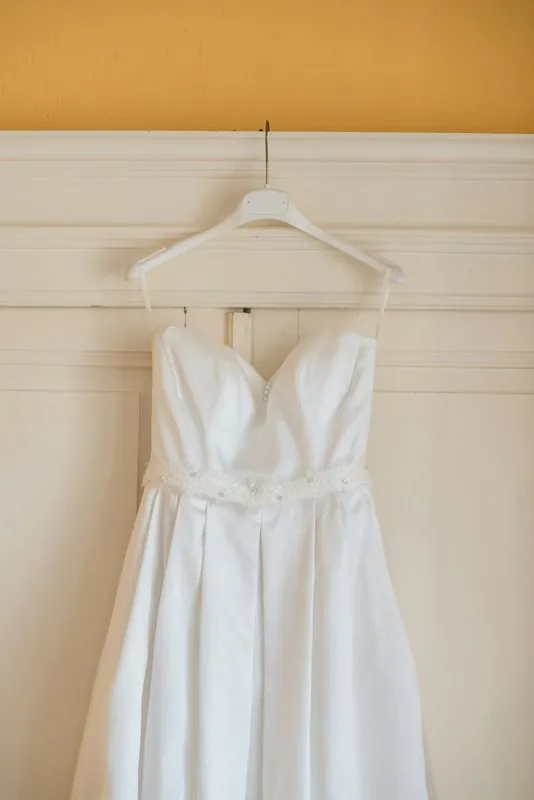
A bridal boutique often holds one sample per gown and a busy fitting room. Virtual try-on shows a gown on a studio model from a photo taken on a hanger or a dress form, with the dress category briefed to keep the neckline, the waist seam, the length and any pleating, and the colours and pattern scale every garment brief names.

Model wearing the white strapless dress on a white background · Virtual try-on
Source photo: On a hanger. Made with Herofab · Virtual try-on
Worth knowing

What a bridal image is judged on.

  1. 1

    Lace, beading and sheer layers

    The parts that make a gown costly are the hardest for any generated image: lace edges, beaded motifs, sheer tulle over skin, covered buttons down the back. Herofab is briefed to keep them as photographed; open each delivered image at full size and compare these areas with the gown before it is published.

  2. 2

    Ivory, white and champagne

    Bridal whites differ by a few tones, and brides read them closely. The brief treats a colour cast in the photo as light, not as the colour of the gown, but a warm room or a cool window still shifts the source. Photograph in daylight and compare the delivered tone with the fabric itself.

  3. 3

    The back of the gown

    A gown is chosen for its back as much as its front: a low back, corset lacing, a row of covered buttons, a train. With a photo of the back uploaded, a back view of the same model can be ordered with the front, the back briefed to follow that photo and the front print to stay off it.

Source photo

Photographing a gown as the source.

  • Hang the gown high on a padded hanger or dress it on a form, so the skirt falls to its full length without pooling on the floor or folding against a wall.
  • Fasten every button, hook and lacing as it will be worn, and smooth the skirt so that pleats and gathers fall as they were sewn.
  • Add a close-up of the bodice lace or beading; a detail photo shows the motif at a scale the full-length photo cannot record.

Why bridal boutiques need images before fittings

Bridal retail runs on samples. A boutique holds one gown per style, often in a single size, and the same gown is tried on by many brides over a season. Photographing every style on a model means booking a model whose size fits the samples, steaming each gown and repeating the work when new styles arrive, which is why many boutiques show their gowns on a hanger or not at all.

On-model images made from a hanger photo change that sequence. A new style can be shown the week it arrives, on the same model and in the same setting as the rest of the collection, while the sample stays in the fitting room. The image does not replace a fitting; it shows the silhouette and the detail so that a bride can choose which gowns to try.

How the dress category is briefed

When dress is chosen as the product category, the brief names the parts a dress is read by: the neckline, the waist seam, the length and any pleating. The general garment brief adds the colours, the scale of any pattern and the length of the sleeves and hem. A gown is shown with simple footwear only, and no extra layer is placed over it, so the bodice and the skirt stay fully visible.

The model can be a ready-made model, a model created for the boutique with a chosen age range, body type and hair, or a model photo the boutique has permission to use. Saved to the library, one model can wear a whole collection, which keeps the gallery calm and makes the gowns, not the faces, the difference between images.

A checklist for bridal detail

Compare the shape and depth of the neckline, the straps or sleeves and the position of the waist seam first, since these define the style a bride searches for. Then follow the skirt down: its volume, the pleats or gathers, and where the hem lands. Then look at the surfaces at full size: lace edges, beading, embroidery and the transparency of any sheer layer.

Read the gown in its setting last. On a location image, check that the fabric has not taken on the colour of the light, and that the skirt or train meets the ground plausibly. Where any of these differ from the real gown, a closer detail photo or a cleaner source photo is the first thing to change, before a different setting.

Questions

AI product photos for bridal wear, answered.

Can a veil or a headpiece be added to the model?

No. Veils and headpieces are not among the product types Virtual try-on takes, and the styling option adds only small everyday accessories. A gown is shown with simple footwear and no extra layer over it; a veil sold on its own is photographed separately, on a dress form or laid flat.

Does the image show how the gown fits a bride?

No. The fit follows the size chosen for the image, from XS to XXL, and is not a measurement of how the gown fits a real body. The image shows the silhouette, the length and the detail; the fitting and the size guide remain where fit is decided, as they are in any bridal shop.

Which background suits bridal images?

Studio white or grey for the gallery, where a gown is compared with other gowns. For campaign images the location settings place the model in a garden, by seaside rocks or in a Mediterranean village, in the scene's own light, morning light, golden hour or overcast.

Is a hanger photo of a gown enough as a source?

Yes, when the whole gown is in the frame from the top of the bodice to the hem and the skirt falls freely. A dress form gives the bodice its shape and often shows the waist and the neckline more clearly; a phone photo is enough for either.

Are evening and occasion dresses handled the same way?

Yes. The dress category covers any one-piece dress, from a bridal gown to an evening dress or a bridesmaid style, and the same checks apply: neckline, waist, length and pleats, then the fine surface detail at full size.

How much does it cost?

5 credits per image, plus one credit for 4K. In US dollars that is $0.20 to $0.60 per image before tax, from the largest plan to the smallest credit pack. The cost is shown before you generate, and if a job fails the credits are returned. The 20 free credits at sign-up cover 4 images with this tool.

Examples by product
Get started

Your next collection, shot this week.

20 credits at sign-up, no card required. Images made with free credits carry a watermark.