A wholesale lookbook, made from the sample rail.
A collection is shown to retail buyers before production is delivered, at a time when each style exists as a single sample. Herofab dresses one studio model in every sample from a phone photo, with location images for the mood of the season and studio white images for the overview of the line.
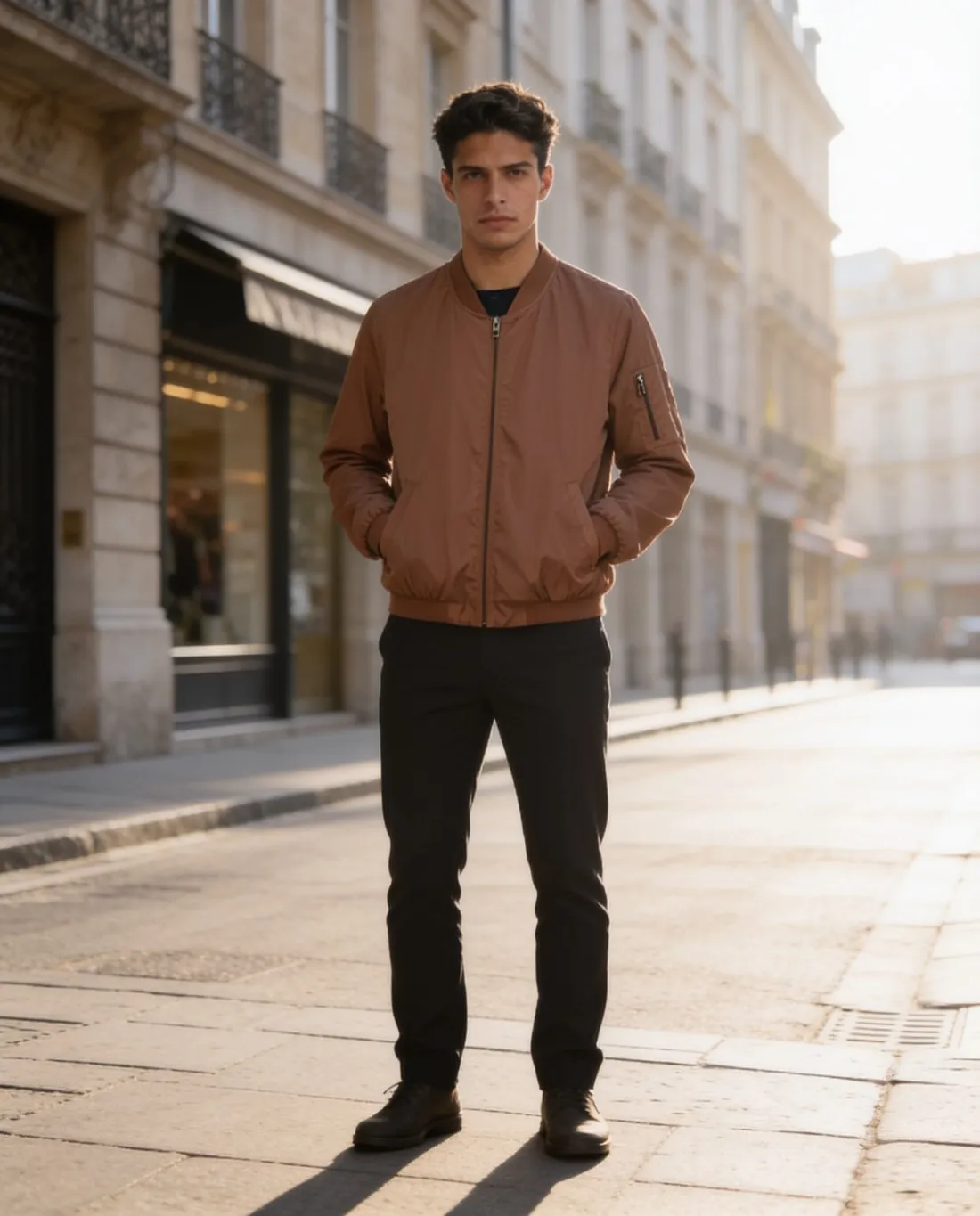
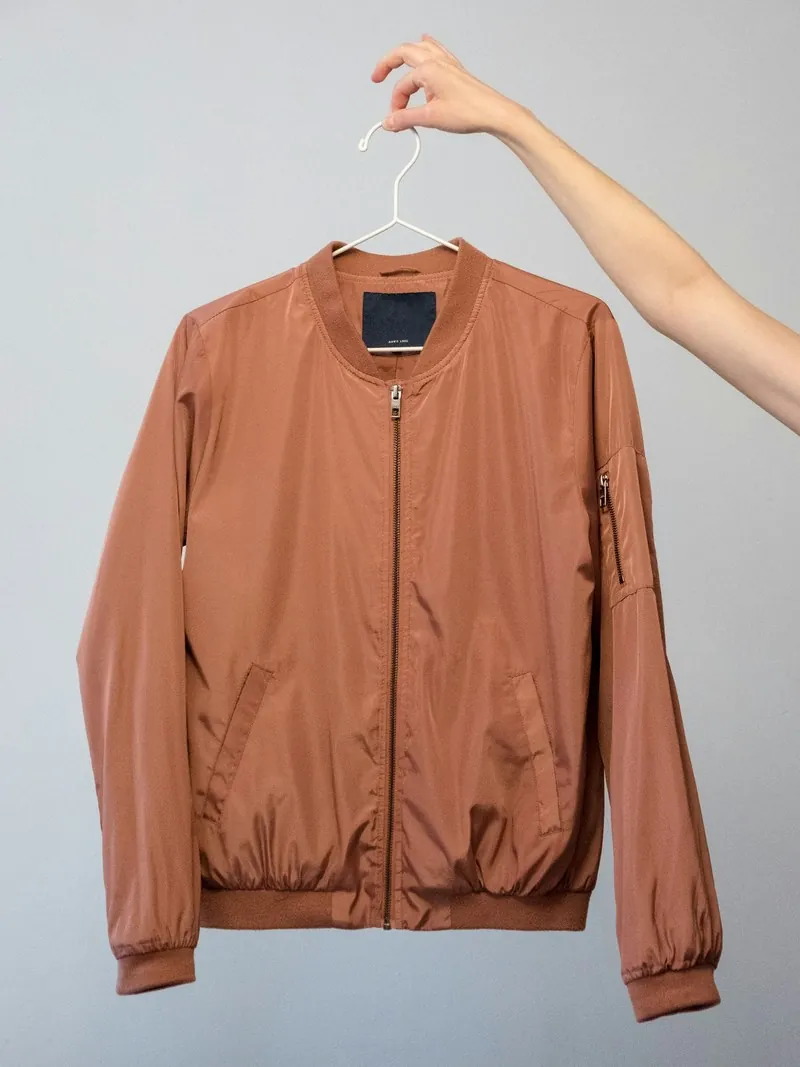
What a retail buyer reads in a lookbook image.
- 1
One model through the whole collection
A lookbook is read as a sequence, and a change of face between two pages interrupts it. A model created for the brand and saved to the library can wear every sample. Several poses of that model can be ordered together, so a style appears standing and in motion with one person in each view.
- 2
Location for the mood, white for the line
Seaside rocks, a wooden pier, a city street, a Mediterranean village, a café terrace or a garden set the tone of a season, in morning, golden-hour or overcast light. The line overview asks for the opposite: every style on studio white, in one pose and one aspect ratio, so a buyer can compare styles next to each other.
- 3
Colour and shape against the sample
A buyer writes an order on colour and silhouette. Herofab is briefed to keep the fabric, the shape and the colours of the sample. Hold each image next to the sample and compare the shade, the length, the collar and the pocket placement before the lookbook is sent; an image set in golden-hour light is worth a second look for shade.
Photographing samples before they travel.
- Photograph each sample on a hanger or laid flat, whole and straight on, before it leaves for a showroom; the sample exists once, and the photo stays behind.
- Use one neutral daylight for the whole rail, so the colour relations between the styles of the collection are recorded as they are.
- Steam the sample first, and add a back photo and a close-up of a trim, a label or a print, since those are the details a buyer asks about.
AI lookbook photos for wholesale, answered.
How are colourways shown when a style was sampled in one colour only?
With Colour variants. The tool takes a product shot or an on-model image and returns it with the product in another colour, picked from a palette of shades or matched to a colour reference photo. Prints keep their own colours unless they are set to be recoloured. Compare each variant with a fabric swatch of that colourway before it enters the lookbook.
Which image format suits a lookbook page and which a line overview?
Images come in a square, portrait or landscape ratio, and in 2K with 4K as an option. Portrait gives a standing figure the full height of a page, landscape suits a spread set on location, and square keeps an overview grid even. One ratio for all overview images keeps the rows of the line aligned.
Can design and sales staff both order images for one lookbook?
The larger plans include several team seats. For a lookbook, agree the model, the pose, the background and the aspect ratio before the first sample is uploaded, so that images ordered by different people still read as one series. A short written note of those four settings is enough.
How much does it cost?
5 credits per image, plus one credit for 4K. The cost is shown before you generate, and if a job fails the credits are returned. The 20 free credits at sign-up cover 4 images with this tool.
Your next collection, shot this week.
20 credits at sign-up, no card required. Images made with free credits carry a watermark.