Language: EN
Start free

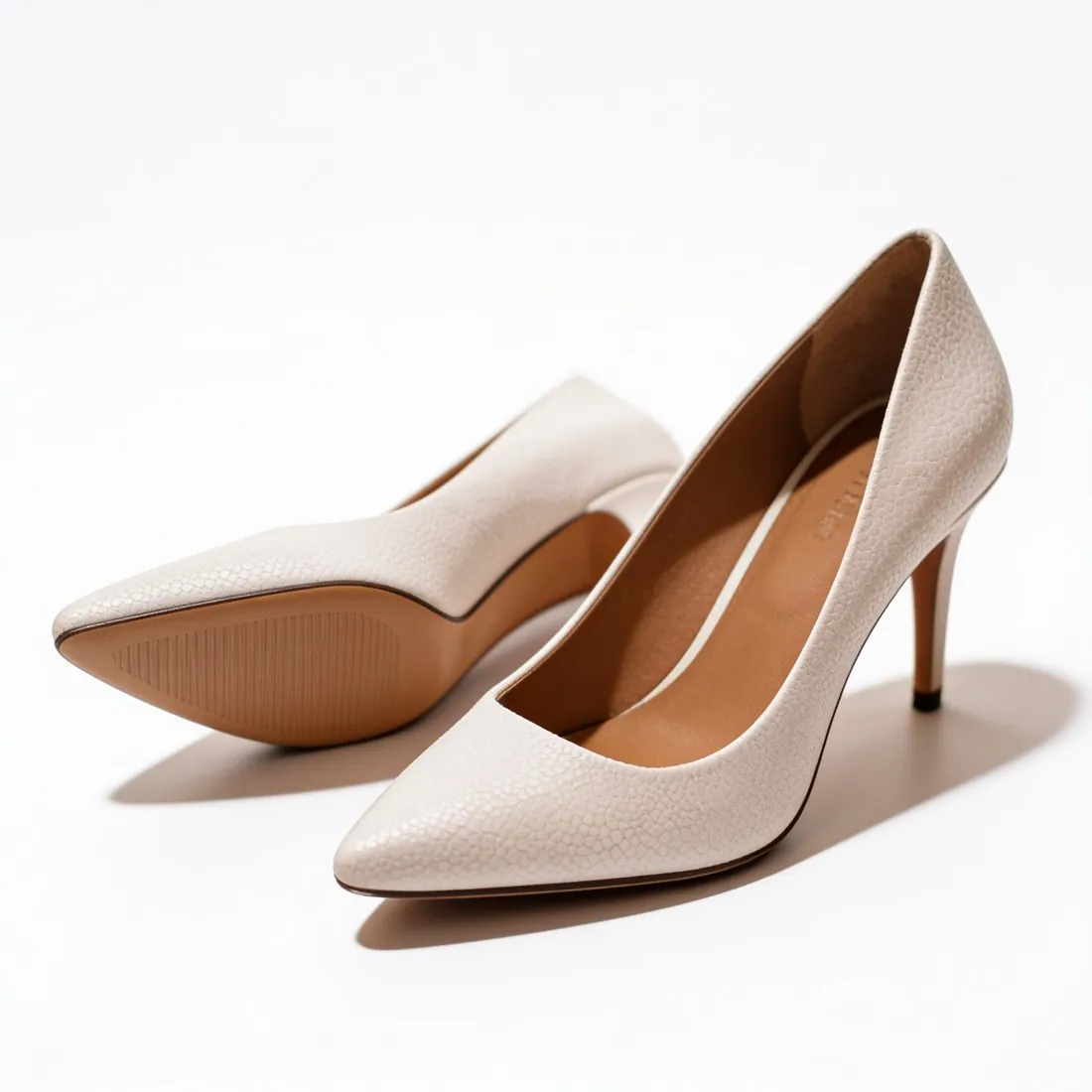
Front view on white, then a square for each slot.

TikTok Shop gives a listing a limited set of square image slots, and the main one has to show the front of the product on a pure white background. Herofab's packshot studio makes that front view from a phone photo and supplies further angles and scenes from the same source for the remaining slots.

A pair of cream leather pumps on white · Packshot studio
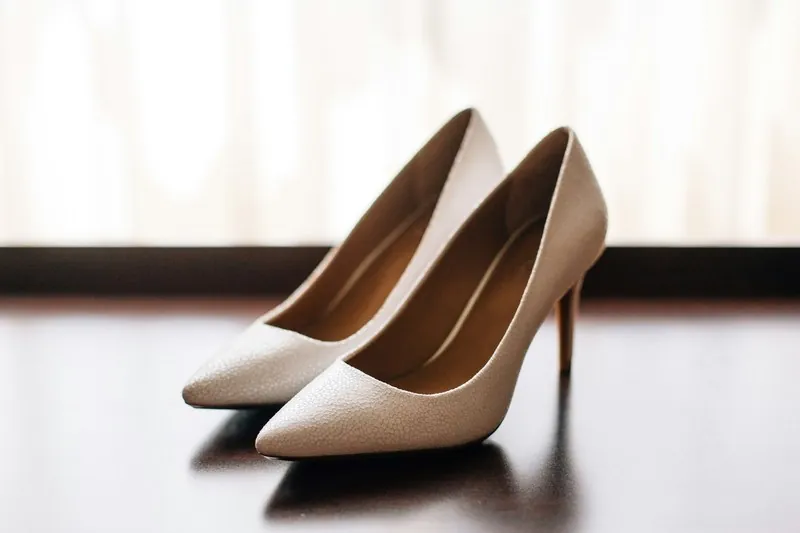
Source photo: Plain product photo. Made with Herofab · Packshot studio
Worth knowing

How TikTok Shop defines its image set.

  1. 1

    The front, on pure white, in the main slot

    The main image is defined twice: it shows the front of the product, and its background is pure white. Choose the front view and the studio white background for it, and keep three-quarter and side views for later slots. The studio white is a clean, evenly lit white; compare it with the pure white the rule names before the upload.

  2. 2

    Every slot a square

    All product images on TikTok Shop are square and each has to reach a minimum size. Select the square ratio when the image is made, so the product is composed for that shape from the start. The TikTok Shop download then builds the file from the delivered image, within the published limits and without trimming the product.

  3. 3

    No graphics on any image

    The ban on additions covers every product image, not only the main one: no logos, text, borders, watermarks or graphics. Feature callouts, size arrows and promotional frames therefore have no place in the set. A plan or a credit pack gives Herofab images free of watermark and text; images from free credits are watermarked.

In marketplace rules

What TikTok Shop asks for.

Source: TikTok Shop Academy (US) — Product listing policy. Checked 10 October 2026.

Size
Every product image at least 600 × 600 pixels
Number
Up to 9 square images, one of them the main image
Main image
The front of the product on a pure white background
Not allowed
Added logos, text, borders, watermarks or graphics on any product image
Extra images
The front, back, sides and other details, accessories included; several images of the same angle are not allowed
Accuracy
Only what the customer will receive; placeholders and digital renderings of the product are not allowed
Colour
Images in colour; black-and-white images are not accepted
Children's swimwear and undergarments
Displayed flat, without child models or mannequins
AI images
TikTok Shop's policy on AI-generated listing images allows them when they accurately represent the real product; AI must not change the product's size, colour, shape, features or performance, its quantity or bundle contents, or show unsupported accessories
Before and after
Misleading "before and after" images are prohibited
AI visuals
AI visuals must show the product being sold, not a different main subject, and should not imply performance, effects, functions, motion or included items that the real product does not provide; flat, printed and other 2D products must not be presented as three-dimensional objects unless sold that way
Source photo

The front view TikTok Shop starts from.

  • Decide which side is the front and photograph it straight on; it is both the view TikTok Shop wants first and the view Herofab requires as the source.
  • Frame the product with space above, below and beside it, since every slot is square and a tall product needs room at its sides.
  • Add a back photo or a detail close-up to the upload if later slots should show them; what the camera never saw cannot be added back faithfully.

Repeated angles, grey tones and renderings that fail review

The listing policy reads the image set as a whole. Two pictures taken from the same angle count as a repeat, black-and-white pictures are refused outright, and a misleading before-and-after pair is prohibited. Placeholder pictures and digital renderings fall outside the policy too, since only what the customer will receive may be shown.

Generated pictures face a stricter reading. They pass when they represent the real product faithfully, and fail when the generation alters its size, colour, shape or features, changes how many items a bundle holds or adds accessories that are not supplied. A flat, printed item may not appear as a solid object unless it is sold in that form.

A front packshot first, then a new viewpoint per slot

The cover is the packshot studio's front view on its white scene. That white is drawn by the image model, so the file for this channel is the marketplace download, in which an even off-white backdrop is set to pure white. The studio is briefed to add no straps, parts or accessories the product does not have, the same line the policy draws.

Each later slot should change the viewpoint: three-quarter, side and top-down packshots from one upload, a close-up of a clasp or a sole from Detail shot, a worn view from Virtual try-on. Children's form-fitting items cannot be shown on child models or mannequins.

Square files, a sequence of views and a clean download

Every slot takes a square, so choosing the square format when an image is ordered composes the product for that shape; Extend frame widens an approved portrait image at the sides instead of cutting into it. A workable sequence runs from the front cover to the back, the sides, a close-up and a worn view, with no angle used twice.

The download for this marketplace writes a padded square JPEG within the published limits, reports whether the background meets the main-image rule, and writes the AI marker back into the file. The free resizer for this marketplace pads photos made elsewhere in the browser, but a resized file loses its embedded metadata.

Questions

Product photos for TikTok Shop, answered.

How are the slots after the main image filled?

From the same upload. The packshot studio adds three-quarter, side and top-down views and grounds such as marble, wood or linen, and Virtual try-on supplies square on-model views. Each of them is made in the square format, and the rule against added logos, text, borders, watermarks and graphics applies to every one.

Is the studio white the pure white TikTok Shop requires?

The packshot studio's white is a clean, evenly lit studio white, and TikTok Shop's rule names pure white, so the main image deserves a look before it goes up. Herofab's free TikTok Shop checker reads the file in the browser and tests it against the published rules; the image is not uploaded. TikTok Shop decides whether the image is accepted.

What is compared with the product before a TikTok Shop upload?

Herofab is briefed to keep the shape, proportions, colours, materials and every logo, label and hardware detail. The comparison starts with small text on labels, then colour, then buckles, clasps and other hardware. A logo that belongs to the product is part of the product; the rule concerns logos and text added to the image.

Are AI-generated listing images allowed on this marketplace?

Yes, under conditions: the policy accepts them when they show the real product accurately, with no changed size, colour, shape, feature or bundle and no accessories that are not supplied. Herofab's brief keeps shape, colours, materials and every logo; a comparison with the item in hand decides what is uploaded.

How should children's form-fitting items be shown in this shop?

Laid flat, with no child model and no mannequin. Ghost mannequin's flat-lay style turns a hanger or table photo of the piece into a straight, symmetrical flat lay seen from above, and it is briefed to remove any hanger, mannequin or person.

How much does it cost?

4 credits per image, plus one credit for 4K. In US dollars that is $0.16 to $0.48 per image before tax, from the largest plan to the smallest credit pack. The cost is shown before you generate, and if a job fails the credits are returned. The 20 free credits at sign-up cover 5 images with this tool.

Examples by product
Get started

Your next collection, shot this week.

20 credits at sign-up, no card required. Images made with free credits carry a watermark. Herofab also removes the watermark from those images once credits are purchased.