On-model images for THE ICONIC, beside real product photos.
THE ICONIC accepts AI-generated imagery on two conditions: imagery of the actual product is supplied as well, and a disclaimer note is added at the bottom of the description field. Virtual try-on shows a garment worn by a studio model, so Herofab's images sit beside real product photos on THE ICONIC, not in place of them.
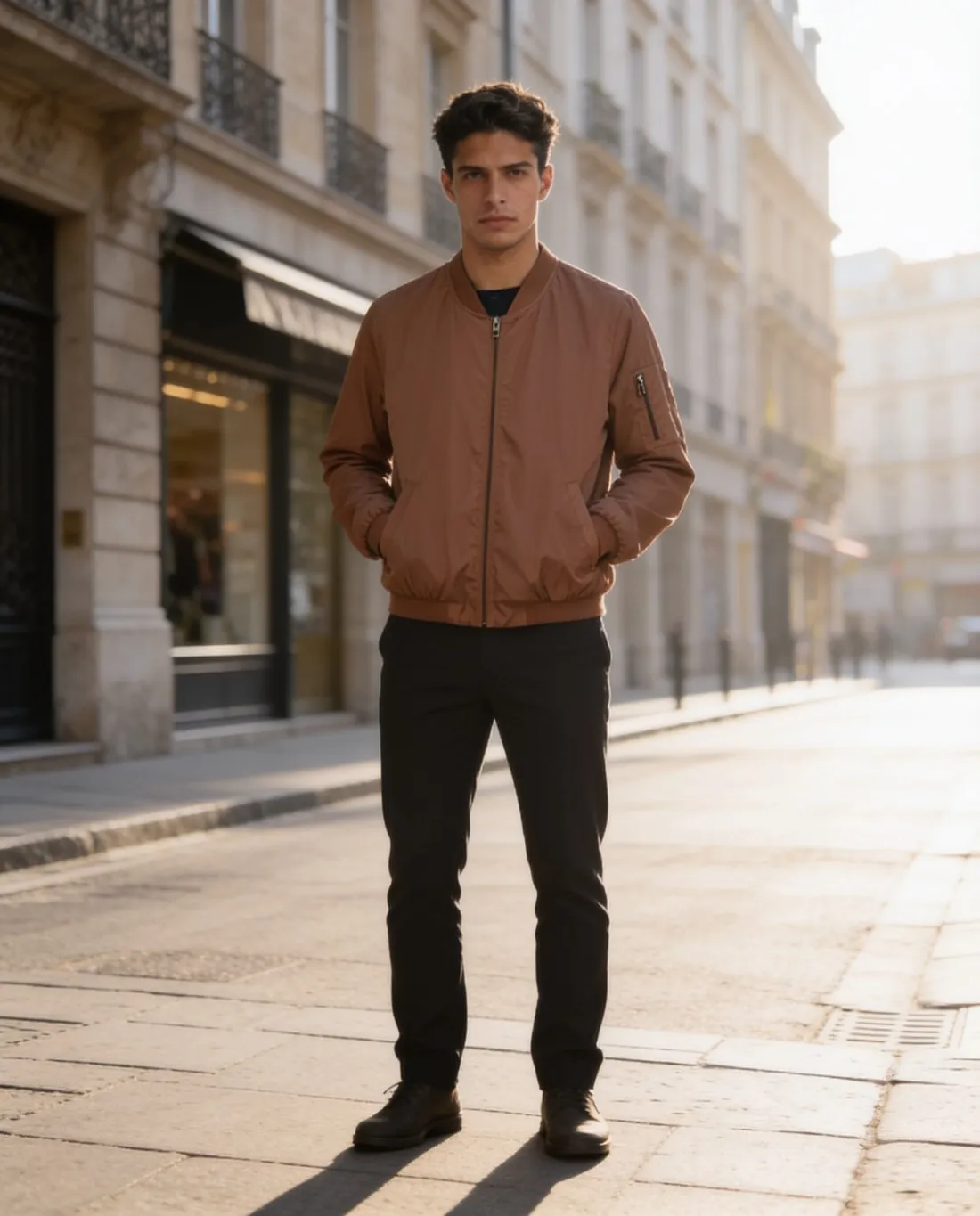
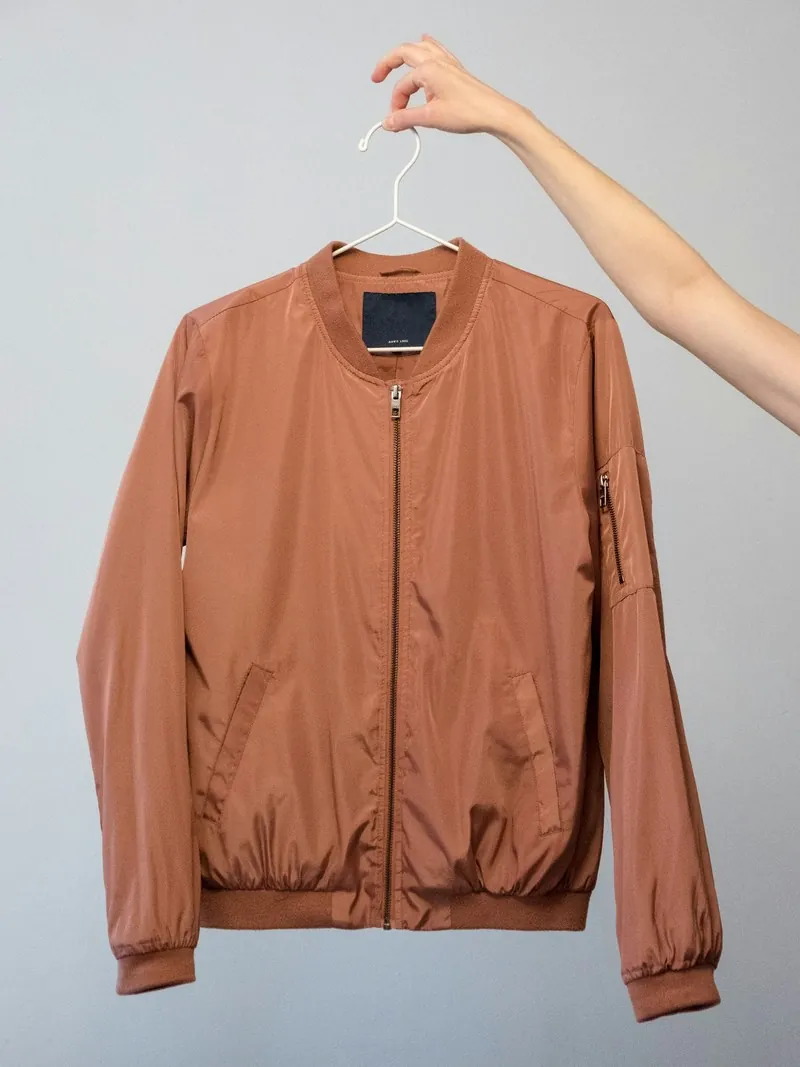
The conditions THE ICONIC attaches to AI imagery.
- 1
Real imagery and a disclaimer
Where AI-generated imagery is used, THE ICONIC requires imagery of the actual product too, and a disclaimer note at the bottom of the description field. A listing therefore pairs on-model views with the seller's own photographs of the garment. Herofab's models are synthetic, and each image carries a machine-readable AI marker in the file.
- 2
Light greys Herofab is not set to
THE ICONIC gives its backgrounds as exact light-grey values, one for product and one recommended for apparel; coloured and textured backgrounds are approved, as the image briefs detail. Herofab's studio grey is not set to those values. Compare the result with the category's brief, which sellers are asked to follow as strictly as possible.
- 3
An upright upload and a light file
Seller Center uploads have one upright size, a four-by-five shape, and a low ceiling on file weight. Herofab offers a four-by-five format; a 2K PNG is heavier than that ceiling, so the image is resized to the upload size and saved as JPG. THE ICONIC then completes a quality check of all imagery and content against its guidelines.
What THE ICONIC asks for.
Source: THE ICONIC Marketplace Seller Help Center — Image Briefs; Images; Mass Image Import; Content Requirements. Checked 12 October 2026.
- Size
- 1,600 pixels wide × 2,000 pixels high at 300 dpi for Seller Center imagery uploads
- File size
- Images uploaded directly into Seller Center must be under 1.95 MB
- Background
- RGB 240, 240, 240 for product; RGB 230, 230, 230 recommended for apparel; coloured and textured backgrounds are approved, with details in the image briefs
- Number
- A minimum of 2 images for product and 3 images for apparel (front, back and side); a maximum of 8 images for any one product
- AI images
- Where AI-generated imagery is used, imagery of the actual product is also required, and a disclaimer note is added to the bottom of the description field
- Main image
- Images can be dragged into the required order, and the first image on site is the one shown with a grey border in Seller Center
- Quality check
- A comprehensive quality check is completed of all imagery and content to ensure the guidelines are met
- Category briefs
- Category-specific photography guidelines cover women's apparel, men's apparel, kids, product, outlet and beauty, and sellers are asked to follow them as strictly as possible
Two kinds of photo for one listing on THE ICONIC.
- Photograph the garment's front straight on, on a hanger or laid flat, as the source for try-on, and photograph the back as well: THE ICONIC sets front, back and side as the minimum for apparel.
- Give the real photographs the same care as the generated ones: imagery of the actual product is required wherever AI imagery is used, and it goes through the same quality check.
- Use one daylight for the source photo and for the real product photos, so that the garment's colour agrees between the generated view and the photographed one in the same listing.
Product photos for THE ICONIC, answered.
Does THE ICONIC accept AI-generated images?
Its seller guidance accepts them on two conditions: imagery of the actual product is also supplied, and a disclaimer note is added to the bottom of the description field. Herofab images therefore go next to real product photos and do not replace them. THE ICONIC runs a quality check on all imagery and content, and the decision on any image is its own.
Can the delivered file go into Seller Center as it is?
No. Seller Center takes one upright size in a four-by-five shape and only files under a low weight limit. Choose the four-by-five format when the image is made; a 2K PNG is heavier than the limit, so the image is resized to the upload size and saved as JPG. Upload size, resolution setting and weight limit are in the table on this page.
In which order do real and generated images appear?
Images can be dragged into the required order in Seller Center, and the first image on site is the one shown there with a grey border. THE ICONIC sets a minimum number of images, higher for apparel than for other products, and a maximum for any one product, so count the real photographs and the on-model views together before uploading.
How much does it cost?
5 credits per image, plus one credit for 4K. The cost is shown before you generate, and if a job fails the credits are returned. The 20 free credits at sign-up cover 4 images with this tool.
Your next collection, shot this week.
20 credits at sign-up, no card required. Images made with free credits carry a watermark.