Zalando shoes: the whole shoe, any direction.
Zalando's shoe image guide, updated 6 October 2026, asks for the entire shoe in the primary packshot and places no restriction on the direction it faces. These are its packshot, styling and model-view rules.
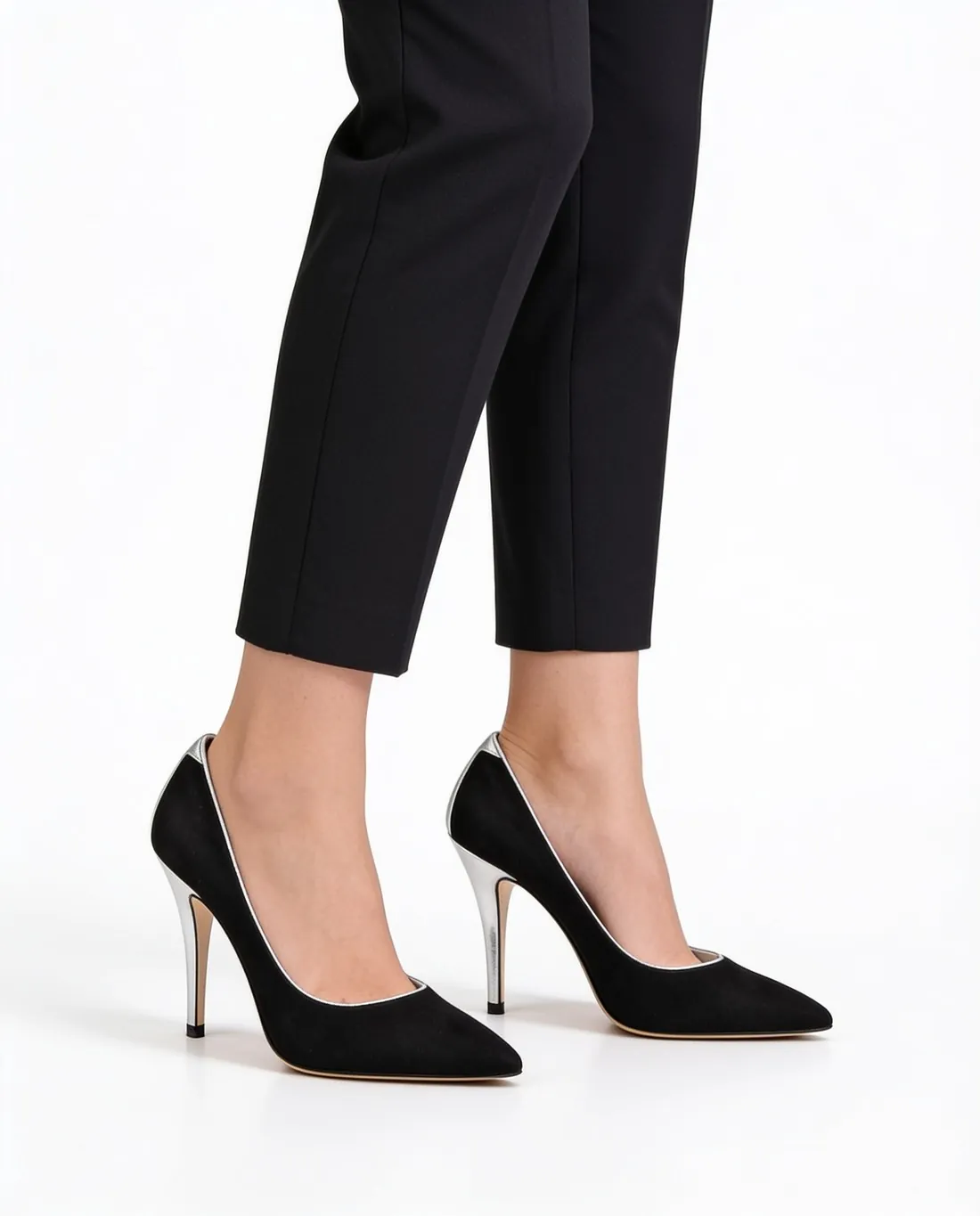
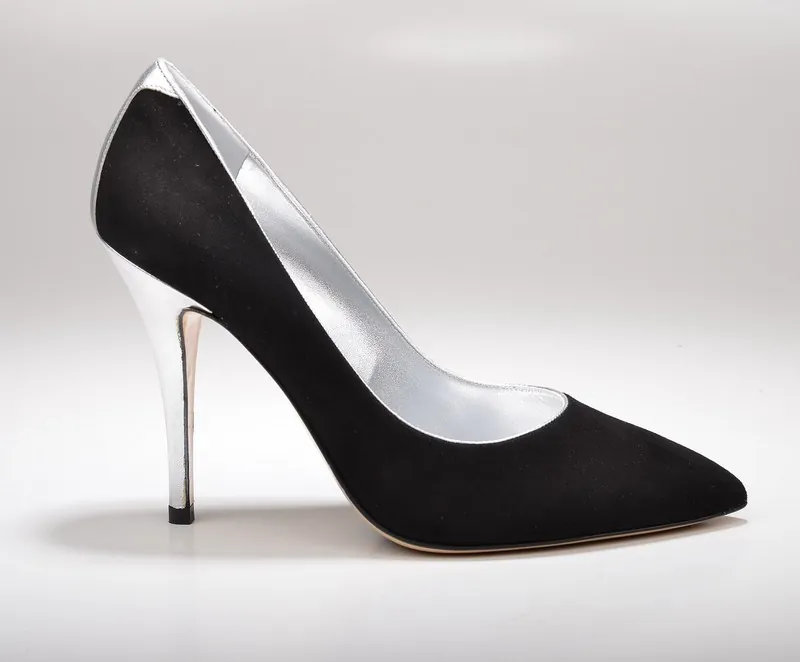
01 · ZalandoPrimary packshot
Source: Zalando Partner University — Shoe image guide · checked 14 October 2026
- Whole shoe
- The primary packshot fully displays the entire shoe, from toe to heel and from sole to shaft
- Angle
- A standard side profile is common; slightly angled views are fully permitted to show the shape and details
- Direction
- No restriction on which direction the shoe faces (shoe image guide, updated 6 October 2026; the general image guidelines still mention the full side profile for footwear)
- Both shoes
- A side view showing both shoes serves as the catalogue view only if primary packshots, front crops and proper style views are unavailable
02 · ZalandoFurther views and styling
Source: Zalando Partner University — Shoe image guide · checked 14 October 2026
- Secondary angles
- Top, back or side views can show a single shoe or the pair
- Styling
- The shoe styled as it looks when worn; laces, straps and buckles neatly tied or fastened
03 · ZalandoModel views
Source: Zalando Partner University — Shoe image guide · checked 14 October 2026
- Model views
- Optional for shoes; they show the fit and scale
- Visibility
- The whole shoe presented without cropping
- Taller shoes
- The model's leg cropped below the knee for mid-calf shoes and at mid-thigh for above-knee boots
- Full body
- The entire model may be shown to present the shoes within a complete outfit
- Features
- Detailed views of specific design features, such as zips or logos
Images that follow these rules.
Herofab's background remover places a shoe photographed on any surface on white, grey or a transparent background; the shoe's angle comes from your photo. With footwear selected, the product studio is briefed to show the left and right shoe together, which Zalando accepts as the catalogue view only when no primary packshot, front crop or style view is available. The virtual try-on is briefed to frame shoes from the knees down with both shoes fully visible, and boots from the hips down so the full shaft shows.
Zalando shoes, answered.
Which way should the shoe face on Zalando?
Any direction. Zalando's shoe image guide, updated 6 October 2026, places no restriction on the direction the shoe faces and fully permits slightly angled views, as long as the entire shoe is shown from toe to heel and from sole to shaft. The general image guidelines still mention the full side profile for footwear catalogue views.
Can the pair be the first image on Zalando?
Only as a fallback: a side view showing both shoes serves as the catalogue view only if primary packshots, front crops and proper style views are unavailable. Secondary angles can show a single shoe or the pair.
Are model images required for shoes on Zalando?
No, model views are optional. When they are used, the whole shoe is shown without cropping, and the model's leg is cropped below the knee for mid-calf shoes and at mid-thigh for above-knee boots.
Where do these figures come from?
From Zalando Partner University — Shoe image guide, read on 14 October 2026. Marketplaces update their rules; the official page is the final reference.
Your next collection, shot this week.
20 credits at sign-up, no card required. Images made with free credits carry a watermark.