Google virtual try-on: the images it needs.
Google's try-on generates an image of a garment on a shopper or on one of Google's models from the merchant's product images, so the quality of those images shapes the result. These are the requirements from Google's two Merchant Center pages on try-on.
01 · Google ShoppingTry-on: who and where
Source: Google Merchant Center Help — How Google's Try-on tool works · checked 14 October 2026
- Who is included
- Merchants with a shopping feed who are eligible to show free listings are opted in automatically
- Categories
- Shoes, tops, bottoms and dresses; lingerie, bathing suits and accessories are not supported
- Where
- Logged-in Google Shopping and Google Search users aged 18 or older, on desktop and mobile, in the countries Google lists, including the United States, the United Kingdom, Canada, Australia, Brazil, India and Japan
- Placement
- Only on non-sponsored product results; products under "Sponsored" do not show the "Try it on" button
- Opting out
- Through Google Customer Support from the Merchant Center account; domain owners without a Merchant Center account use Google's opt-out form
02 · Google ShoppingTry-on: image requirements and best practices
Source: Google Merchant Center Help — How Google's Try-on tool works · checked 14 October 2026
- Resolution
- At least 512 × 512 pixels, ideally 1,024 pixels or higher, in addition to the general product image requirements
- One garment
- The image contains only the listed garment
- Full body
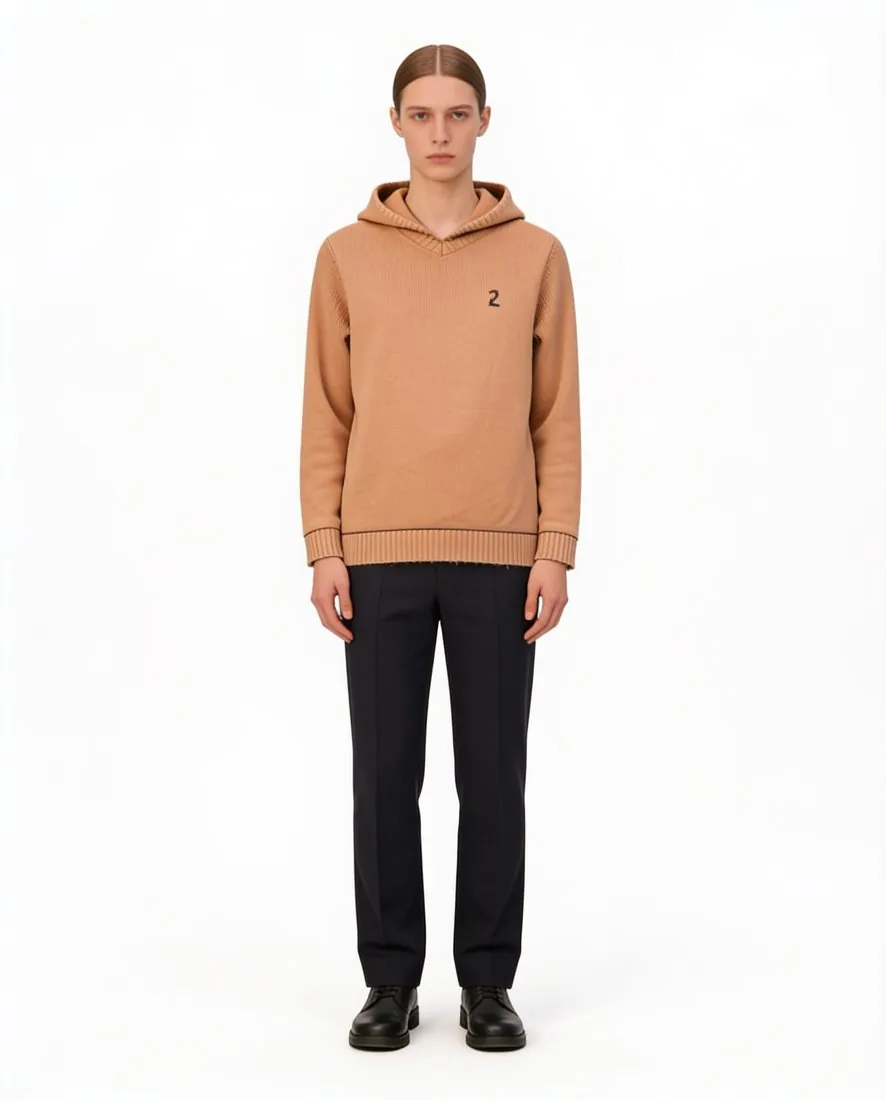
- The entire garment, in a full-body picture
- Pose
- The garment on a model facing directly forward with arms down to the side
- Lay-flat images
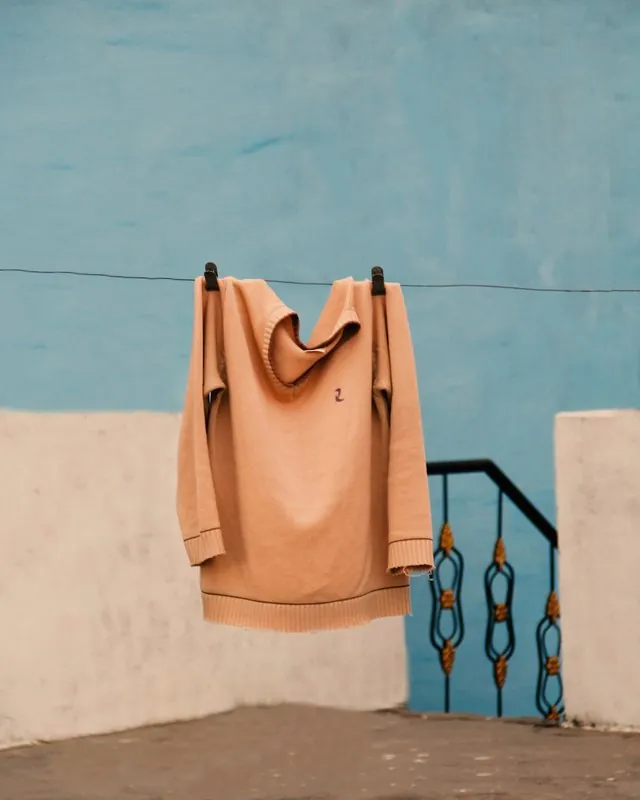
- No excessive folds or wrinkles
- Nothing covering
- Garment details not covered by hands, handbags or accessories
- Tops
- Sleeves rolled down; hoods down
03 · Google ShoppingApparel virtual try-on on Google's models
Source: Google Merchant Center Help — About apparel virtual try-on · checked 14 October 2026
- Accepted images
- One garment on one front-facing model or mannequin in a simple pose, or lying flat on a surface
- Tops
- Zippers closed and tops untucked, as well as sleeves rolled down and hoods down
- Google's models
- Real people photographed by Google, from XXS to XXXL; the generative part combines them with the garment photos from Merchant Center
- Model sizes
- Google shows only the range of model sizes consistent with each brand's available inventory
Images that follow these rules.
Herofab's virtual try-on dresses a studio model in a garment photographed on a hanger or laid flat; in the standing front pose the model is briefed to stand upright, facing the camera, and studio white is one of the backgrounds. The ghost mannequin delivers the garment on an invisible mannequin or as a flat lay briefed to show no creases. Every Herofab image carries the IPTC marker for AI-generated media that Google Merchant Center asks sellers to keep; whether a listing shows try-on is Google's decision.
Google virtual try-on, answered.
Which products can use Google's virtual try-on?
Shoes, tops, bottoms and dresses. Google's try-on page states that lingerie, bathing suits and accessories are not supported.
What image size does Google's try-on need?
At least 512 × 512 pixels, ideally 1,024 pixels or higher, on top of Google's general product image requirements.
Can a mannequin or flat-lay image be used for try-on?
Google's page on apparel virtual try-on accepts one garment on one front-facing model or mannequin in a simple pose, or lying flat on a surface, with lay-flat garments free of excessive folds or wrinkles. Its page on the try-on tool lists a full-body picture with the garment on a model facing directly forward as a best practice.
Where do these figures come from?
From Google Merchant Center Help — How Google's Try-on tool works, read on 14 October 2026. Marketplaces update their rules; the official page is the final reference.
Your next collection, shot this week.
20 credits at sign-up, no card required. Images made with free credits carry a watermark.