Zalando bags: straps, shape and the 45° view.
Zalando asks for a primary packshot as the catalogue view of every bag and sets out how straps, handles and shape are presented. These are the rules from Zalando's bags and luggage image guide and the bag section of its accessories guide.
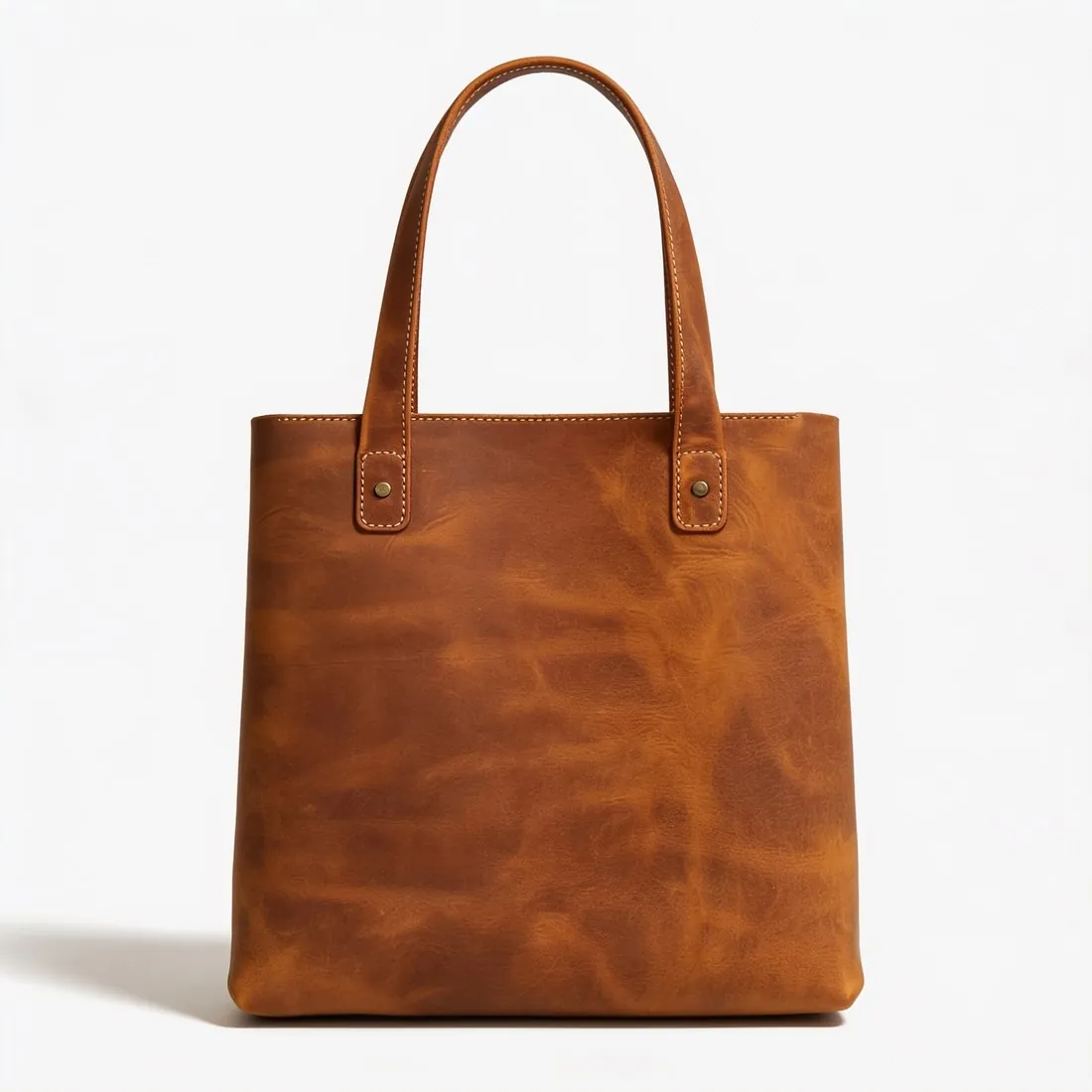

01 · ZalandoCatalogue view and packshot
Source: Zalando Partner University — Bags and Luggage image guide · checked 14 October 2026
- Catalogue view
- One compliant primary packshot; a front crop on a model is not allowed as the catalogue view for bags and luggage
- Image count
- The primary packshot plus two further compliant images; duplicating images to meet the count leads to rejection
- Background
- Primary packshots have a white background; packshot views in colours from Zalando's background colour range are accepted as additional views only
02 · ZalandoPhotographing bags
Source: Zalando Partner University — Bags and Luggage image guide · checked 14 October 2026
- Position
- The primary packshot is centred vertically and positioned in the lower third of the image grid
- Straps
- A front view with short straps pointing upwards; long straps laid flat or rolled on the left side, not visible on the right
- Logos and details
- Straps do not cross the whole bag; small details and logos stay unobstructed
- Shape
- Bags prepared neatly, where possible stuffed or filled to show their shape and capacity
- Back view
- The bag at a 45° angle, so that both the back and the side are visible
- Model and detail views
- The full length and size of the article in the model view; the texture of the fabric or material visible in the detail view
03 · ZalandoAccessories guide: bags and luggage
Source: Zalando Partner University — Accessories image guide · checked 14 October 2026
- Handles and straps
- Short handles point up; straps do not cover brand logos or the front of the bag
- Side and back views
- The bag at a 45° angle to show depth
- Model crop
- The model's body can be cropped, but the article must stay recognisable
Images that follow these rules.
Herofab's product studio places a bag on a white, grey or beige studio background and is briefed to keep the handles, straps, hardware and stitching, with the bag standing upright with its natural volume; the view is chosen from front, three-quarter, side or top-down. The virtual try-on shows the bag carried by a model, for the further views. Images download at 1,801 × 2,600 pixels as JPG, Zalando's best-practice size.
Zalando bags, answered.
Can a bag be shown on a model as the first image on Zalando?
No. Zalando's bags and luggage guide requires a compliant primary packshot as the catalogue view and states that the front crop is not allowed as the catalogue view for these categories.
How should straps be arranged in a Zalando bag packshot?
In a front view, short straps point upwards and long straps are laid flat or rolled on the left side, not visible on the right. Straps should not cross the whole bag or cover brand logos or the front of the bag.
Which angle does Zalando ask for in bag back views?
45°, so that both the back and the side are visible. The accessories guide, updated 2 October 2026, applies the 45° angle to side and back views to show depth.
Where do these figures come from?
From Zalando Partner University — Bags and Luggage image guide, read on 14 October 2026. Marketplaces update their rules; the official page is the final reference.
Your next collection, shot this week.
20 credits at sign-up, no card required. Images made with free credits carry a watermark.