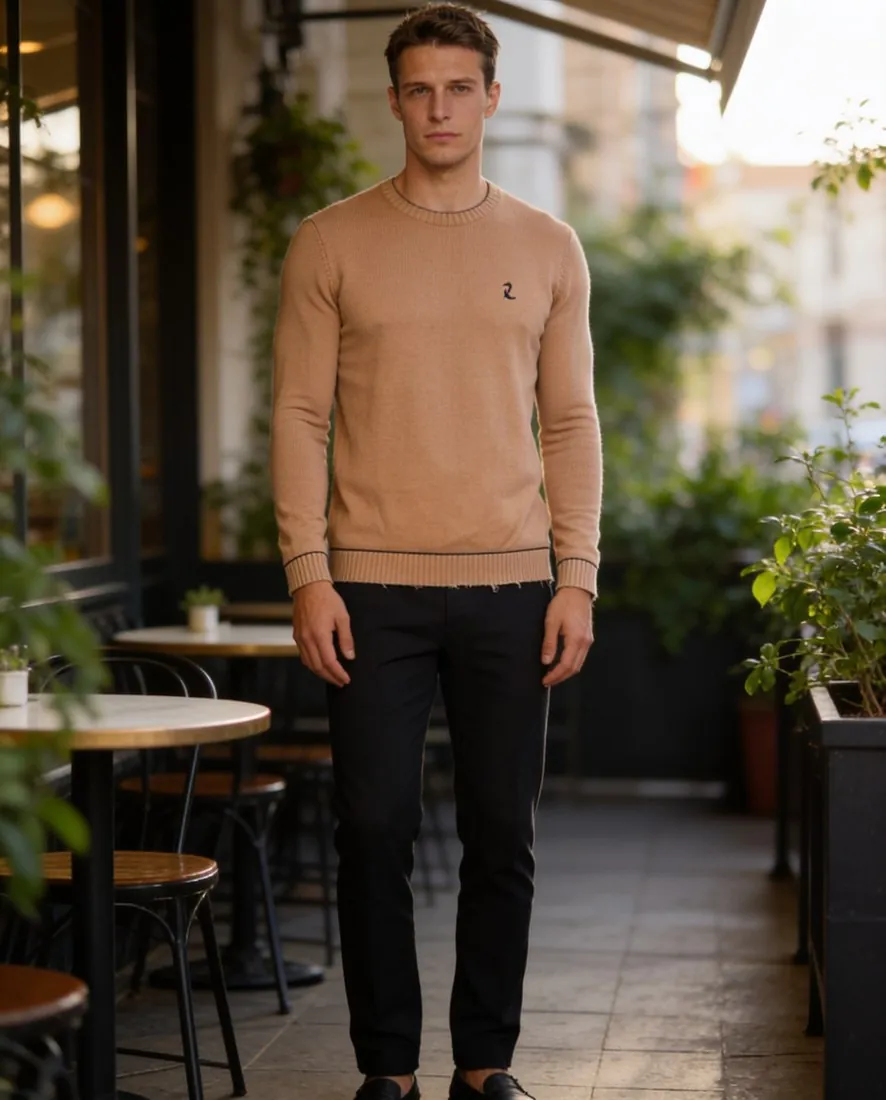
Why does an AI model's face change between photos?
An AI model's face changes between photos because each image is generated separately, and nothing holds a person in place unless the tool is given a reference. Hugging Face's Diffusers documentation states the cause plainly: “Diffusion is a random process that generates a different output every time.”
A written description cannot pin down one face. “Woman, 30, brown hair, slim” fits a very large number of people, so each run picks a different one. A fixed seed does not solve the problem either, because a seed only helps to repeat the same job, and a new garment, pose or background is a different job. Hugging Face adds that reproducibility is not guaranteed even with an identical seed.
Vendors say the same about their own tools. OpenAI's image generation guide lists as a limitation that the model may occasionally struggle to maintain visual consistency for recurring characters or brand elements across generations. Drift is a property of the method, not a user error, which is why a check belongs in the process.
What drifts most in a set of AI model photos?
Facial features, body proportions and skin tone are the differences that matter most in a set of AI model photos, because those are the three Zalando names. Its image guidelines list “inconsistent facial features, body proportions and skin tones across the same model image set” among the problems in AI imagery, and Zalando reserves the right to reject AI-generated assets that break believability.
Hair and apparent age are the next things to compare, and they are the easiest to miss on a category page. No drift rate is quoted here, because Herofab's 303-image check has no category for likeness across a set. The check covered images made between 24 September and 12 October 2026, before Herofab's late-October image engine change.
| What drifts | What it looks like | How to check |
|---|---|---|
| Facial features | Different eye spacing, jawline, nose or lips | Crop the faces to the same size and view them in a row |
| Skin tone | Warmer or cooler skin between images | Compare images made under the same light first, then across scenes |
| Body proportions | A changing shoulder width, waist or height | Compare full-length images at the same zoom |
| Hair | New length, colour, parting or texture | Check length against the shoulder and colour in daylight scenes |
| Apparent age | The model looks younger or older in one image | Ask a second person to pick the odd one out |
| Additions | Jewelry, tattoos or make-up that appear from nowhere | Compare ears, neck, wrists and hands with the master image |
How do I keep the same AI model in a general image generator?
In a general image generator, the same AI model is kept by attaching the approved reference image to every request. Google's Gemini API documentation lists up to 4 character images and up to 14 reference images in total for Nano Banana 2 and 2.1, and recommends multi-turn conversation for iterating on an image. The same page says Nano Banana 2 Lite is not optimised for multiple reference inputs or multi-turn editing, so the model version matters.
Black Forest Labs says FLUX.1 Kontext “excels at character consistency, even after multiple edits”, which is a vendor statement and worth testing on your own set. A technical team can also train LoRA weights on its own images. Hugging Face describes LoRA as a lightweight training technique that produces weights of a few hundred MB, marks the feature as experimental, and quotes about 5 hours for a full example run on a GPU with 11 GB of VRAM.
Start each new product from the approved master, not from the latest output. An image made from an image made from an image collects small changes at every step. Keep the master file outside the tool as well, so that a version change in the tool does not cost you the reference.
| Method | How the person is held | Effort | Limit |
|---|---|---|---|
| Saved model in a fashion tool | A stored model image selected for each job | Low | Each image is still made separately |
| Reference image in a general generator | The master attached to every request | Medium | The product can change, and each job is set up by hand |
| Multi-turn editing | The previous turn of the conversation | Low | Small changes can build up over many turns |
| Trained LoRA weights | Weights trained on your own images | High | Needs GPU time and technical staff |
| Real model photo | The person comes from a photo you may use | Low | Needs that person's written permission |
How do I keep a catalogue consistent with one AI model?
A catalogue stays consistent when the model, background, light, framing and image order are fixed in a written style sheet before the first product is generated. The model is then one constant among several, and a small difference in a face matters less on a category page where everything else matches. Consistency here means selecting the same model every time, not receiving the same pixels.
| Setting | Fix it as | Why |
|---|---|---|
| Model | One saved model per line | Shoppers read the pages as one shoot |
| Background | One backdrop per collection | A new place per product reads as stock imagery |
| Light | One lighting setting per collection | Warm light shifts skin tone and garment colour |
| Format | One aspect ratio and resolution | Grid thumbnails line up |
| Pose order | The same sequence, such as front, three-quarter, back, close-up | Galleries read the same way from product to product |
| Size setting | One size for the sample range | The fit is drawn the same way across products |
How do I keep the same AI model next season?
The same AI model carries into next season when the saved entry or master file is selected again and the new images are compared with the live ones. Place last season's images beside the first new results before generating the whole range. Herofab's model library offers a saved model in every try-on, so a garment added later can join the pages already published.
A consistent AI model for a clothing brand
How do I show the same AI model in several poses?
The same AI model appears in several poses when the poses come from one order or from one finished image. Herofab's Virtual try-on can order several poses of the same model together, up to four at a location. Change pose starts from an image of a model wearing the product and is briefed to keep the same person, garment, background and light, including on images from a real shoot.
How do I keep the same AI model from front to back?
The same AI model holds from front to back when the back image starts from the delivered front image. In a Herofab front and back set, the brief asks for the same person, hair, build and skin tone, the same clothes and the same backdrop and light. Compare the two images with each other, because the head is turned away in the back view and the face cannot help.
How do I check an AI model set for consistency?
An AI model set is checked by placing every image side by side at the same zoom and comparing the person before the product. Use the same order each time: face, hair, skin tone, build, apparent age, then hands and additions. If a shopper could read two images as two people, remove one of them.
After the person, check the garments. Zalando also lists details that show inconsistently across an image set among its distortions, so a button count or print position that changes from image to image is a fault in its own right. The guide to checking AI product photos covers the product side, and it applies image by image.
Remove outliers before publishing, and do not rely on one good image to carry a set. An image that does not sit with the rest is better left out or generated again, and a second reviewer who has not seen the images before catches drift that the person generating them no longer notices.
How to check an AI product photo before you publish it
When can an AI model not stay consistent enough?
An AI model cannot stay consistent enough when the business depends on one recognisable person. A brand ambassador, a founder face or a campaign built on a named individual needs a real person under contract, because a generated face offers no guarantee of being identical in every image.
Large face close-ups are a weak spot as well, since small differences are hardest to hide at that size. Keep them to one or two images, or choose product close-ups instead. A set for a marketplace that rejects inconsistent model images should be held to the stricter side-by-side test before upload.
One model is also the wrong target where a range needs several bodies. A plus range next to a main range works better with a second saved model than with one person stretched across two body types. Herofab's Create model sets body type when the model is described, so each line has its own saved model. Consistency is a means to a catalogue that reads as one shoot, not a reason to show every customer the same body.
How do I create an AI model for my clothing brand?
Checklist
- One approved master image, stored outside the tool
- The same saved model or reference selected for every job
- Each new product started from the master, not the latest output
- A written style sheet for background, light, format and pose order
- All images compared side by side at the same zoom
- Face, hair, skin tone, build, apparent age and additions checked in that order
- Outliers removed or generated again before publishing
Sources
- Hugging Face — Diffusers reproducibility guide
- Hugging Face — LoRA training guide
- OpenAI — Image generation guide
- Google — Gemini API image generation
- Black Forest Labs — FLUX.1 Kontext image editing
- Zalando Partner University — Image guidelines
Checked 31 October 2026. Rules change; the official pages are the final reference.