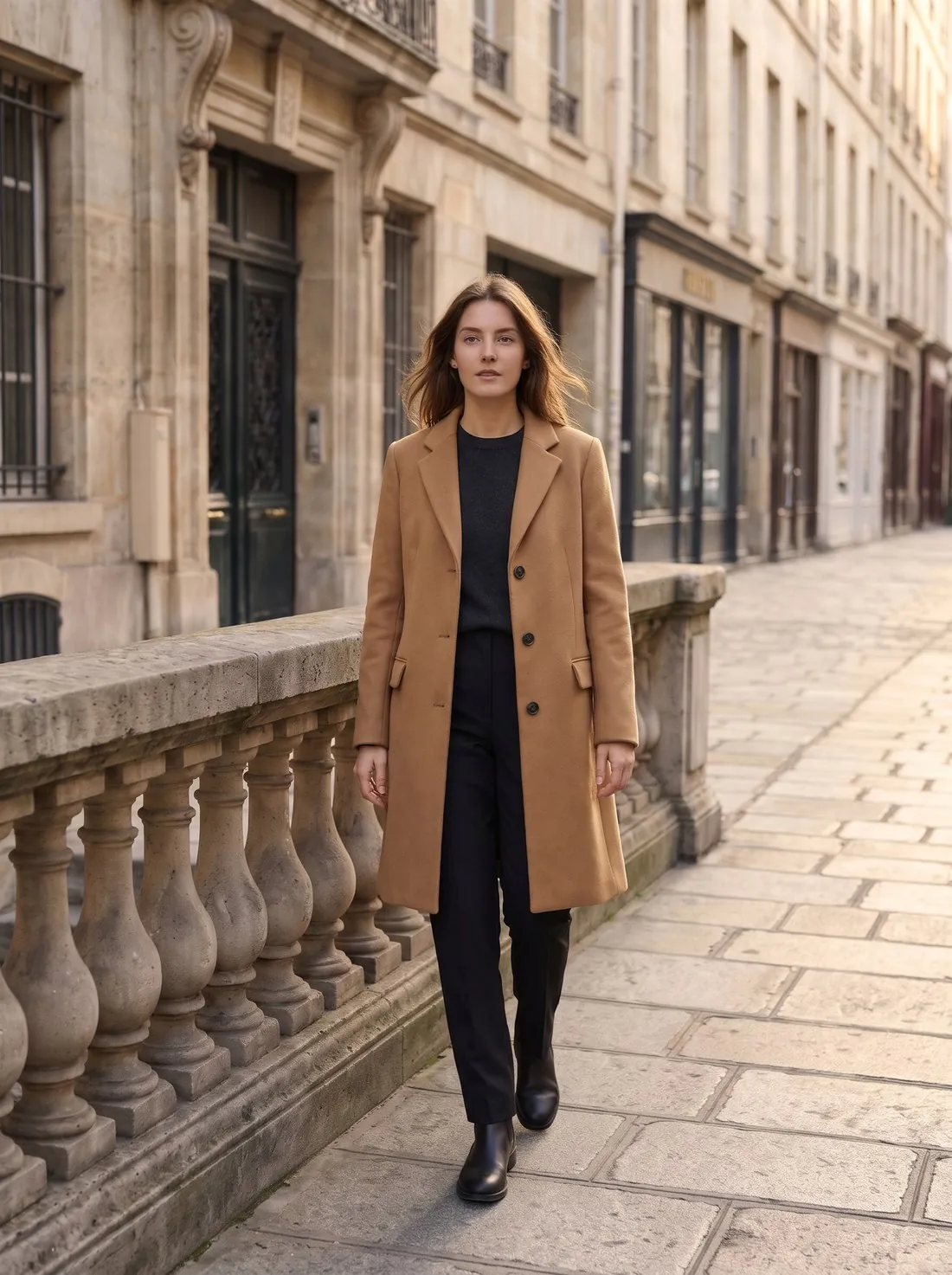
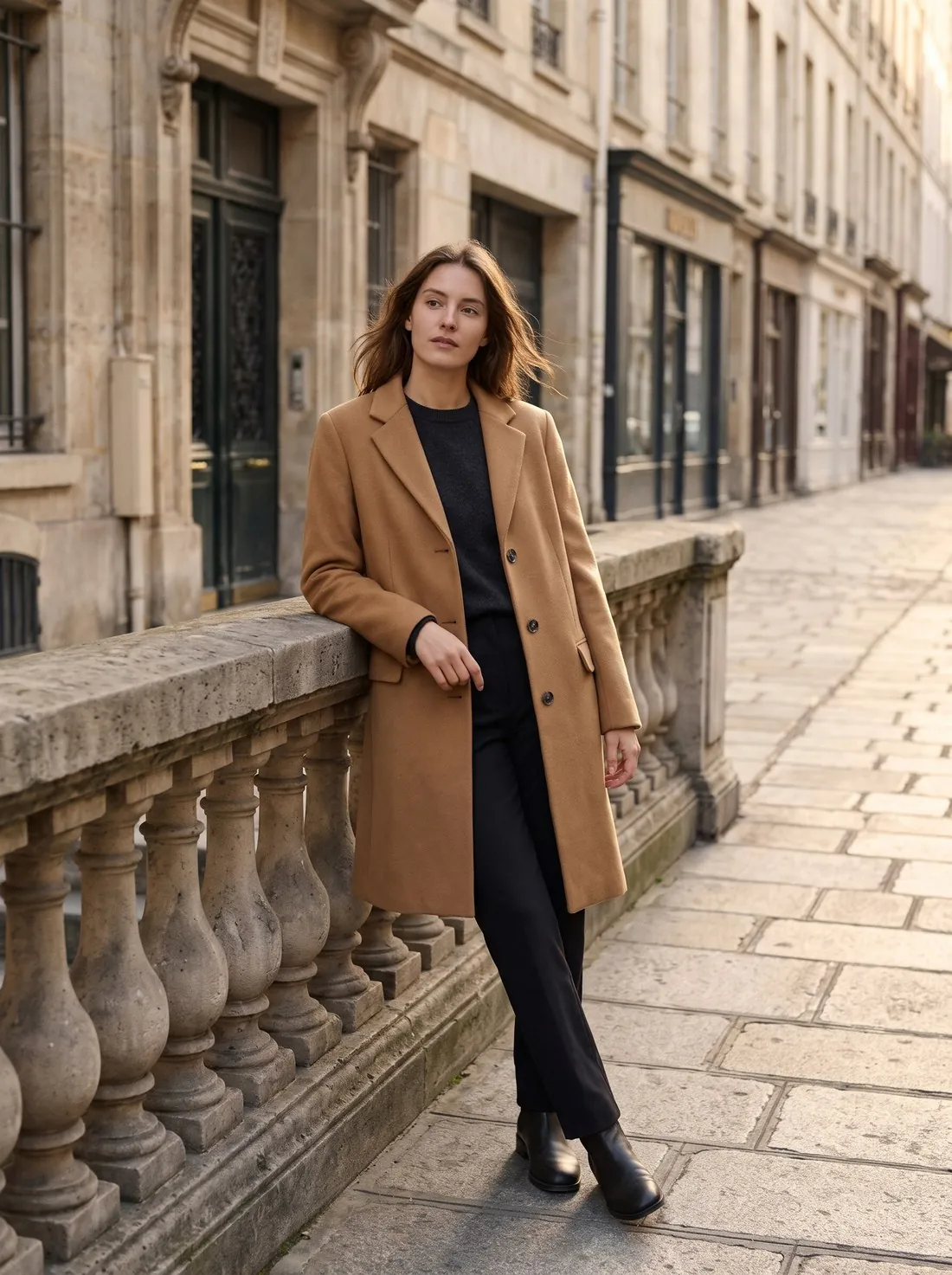
What are the ways to change a model's pose in a photo?
A model's pose can be changed in four ways: a reshoot, a manual edit, a general AI generator or a dedicated pose tool. Only a reshoot records how the garment really behaves in that pose. The other three produce an estimate, and the difference between them is how much control they give over the garment.
| Route | Example tools | Cost basis | Best for | Main risk |
|---|---|---|---|---|
| Reshoot | A photographer, a model, a studio | A day rate or a per-image fee | Fit, drape, hero images | Cost and lead time |
| Manual edit | Warp tools in Photoshop | Subscription and retouching time | A small change to an arm or a hand | Folds and shadows must be repainted by hand |
| General AI generator | ChatGPT, Gemini | Free tier or subscription | Pose ideas and mood images | The model and the garment can both change |
| Dedicated pose tool | Herofab, FASHN, Photta, Modelia (pose change listed, checked 13 October 2026) | Credits or a monthly plan | Extra views of one look for a listing | Details on the turned side still need checking |
See the ten poses in Change pose
How do I change a model's pose with AI, step by step?
An AI pose change starts from one image and ends with a new image of the same look. Choose a source photo that is sharp and shows the whole garment, because the tool can only keep what it can see. Pick a pose from a list, or describe one in a general generator. Generate one pose at a time and compare each with the source before making the next.
Dedicated tools differ from general generators in the input and the brief. A pose tool is built to keep the person, the garment, the background and the light. A general generator receives a free prompt and may treat the request as a new picture. Shopify's September 2026 guide to ChatGPT Images advises comparing results with the actual product before customer use, and that advice applies to any tool.
Small pose changes hold up best. A move from standing front to three-quarter keeps most of the garment visible. A move to sitting or to a view that turns the body away asks the tool to invent more.
Why do garments shift when AI changes a pose?
Garments shift in a pose change because the tool has to generate parts of the clothing that the source photo does not show. When an arm moves, the fabric behind it has to be created. When the body turns, a side seam, a pocket or the far half of a print has to be estimated from what is visible.
Five details need checking first: pockets, buttons, prints, collars and hems. Folds are different. A new pose should create new folds, as real cloth would. The test is whether the garment itself has changed, not whether the creases have. A button count, a pocket position and a print's motif and scale must stay the same in every pose.
Herofab's own measurement of 303 generated images, across 12 tools, flagged 20.8%. The most common fault was an invented detail, at 9.6%, and a changed collar appeared in 3.6%. Change pose accounted for 15 of those images with 1 flagged, too few for a reliable rate. In the product, a flagged image is not delivered, and the check does not see every fault: cropping in particular escaped it. The check covered images made between 24 September and 12 October 2026, before Herofab's late-October image engine change.
AI product photo errors: 303 images checked
Do I need permission to change a real model's pose?
Permission is normally needed, and it has two parts: the right to edit the image and the right to use the person's likeness in that way. A photo licensed from a photographer, a stock library or an agency has its own terms, and an edit or an AI use may fall outside them. A model release for a shoot may not cover new images generated from that shoot.
New York has a specific rule. Under the Fashion Workers Act, the New York State Department of Labor says clients must obtain clear written approval from a model before creating or using the model's digital replica, covering the scope, purpose, rate of pay and length of use. The department defines a digital replica as a computer-generated or AI-enhanced representation of a model. It says a new campaign outside the original approval needs new approval. These duties have applied since 19 June 2025. Whether a pose edit counts as a replica depends on the facts, so take advice before relying on an old release.
Other jurisdictions treat likeness differently, and this page is not legal advice. A synthetic model avoids the consent of a real person, but it brings disclosure rules of its own, which the Herofab guide to the 2026 rules sets out.
AI product image rules for 2026
What makes a usable set of poses for a listing?
A usable pose set answers a different buyer question with each image while nothing but the pose changes. Baymard's 2026 product page benchmark reports that 23% of sites do not provide a human model image, and it says products designed to be worn need one for buyers to get the truest sense of the product. One standing shot meets that need; a set shows more.
Consistency is what makes a set read as one shoot. A different face, background or light makes a buyer wonder whether the images show one product, and Zalando's guidelines list inconsistent model appearance among unacceptable distortions. Use one source image and one aspect ratio for the whole set.
The number depends on the channel: Amazon recommends at least six images and allows up to nine, and eBay accepts up to 24. Amazon's clothing rules ask for adult clothing on a standing model on the main image, so a sitting or leaning pose belongs later in the gallery.
| Slot | Pose | What it shows |
|---|---|---|
| First | Standing front, arms relaxed | Neckline, closure, pockets and hem |
| Second | Three-quarter | Side seam, sleeve and shape |
| Third | Walking | How the fabric falls and moves |
| Fourth | Back view from a real back photo | Back print, yoke and rear pockets |
| Fifth | Hands in pockets or hands on hips | Pockets, waist and everyday wear |
| Last | Close-up | Collar, fabric and trims |
Build a pose set for a product page
When is an AI pose change the wrong method?
An AI pose change is the wrong method when the image has to prove something about the garment. A generated pose shows a plausible drape, not a measured one, so it cannot confirm how a size fits or how a fabric stretches. Tailoring, stretch fabrics and garments sold on fit are better reshot.
Three more cases call for a reshoot. A back view generated from a front photo is a guess, and a back print can only come from a photo of the back. Dense prints, plaids and placed graphics distort when the body turns. Second-hand and resale listings often need a photo of the actual item: Vinted's rules allow no image editing.
The practical split is simple. Use AI poses to add views of a look that has already been checked. Use a real shoot when the pose itself is the evidence a buyer relies on.
Can AI show how clothes really fit?
Checklist
- Rights to edit the source image and the model's permission are on file.
- Button count, pocket position and print match the original in every pose.
- Collar, cuffs and hem have the same shape as in the source.
- Hands, fingers and limbs are natural, with nothing extra or fused.
- Face, background and light are the same across the set.
- The main image is a pose the marketplace accepts.
- No fit claim rests on a generated pose alone.
Sources
- New York State Department of Labor — Responsibilities of Fashion Management and Clients
- New York State Department of Labor — Fashion Workers Act FAQs
- Baymard Institute — Product Page UX 2026
- Baymard Institute — Images on a human model
- Shopify — ChatGPT Images guide
Checked 31 October 2026. Rules change; the official pages are the final reference.