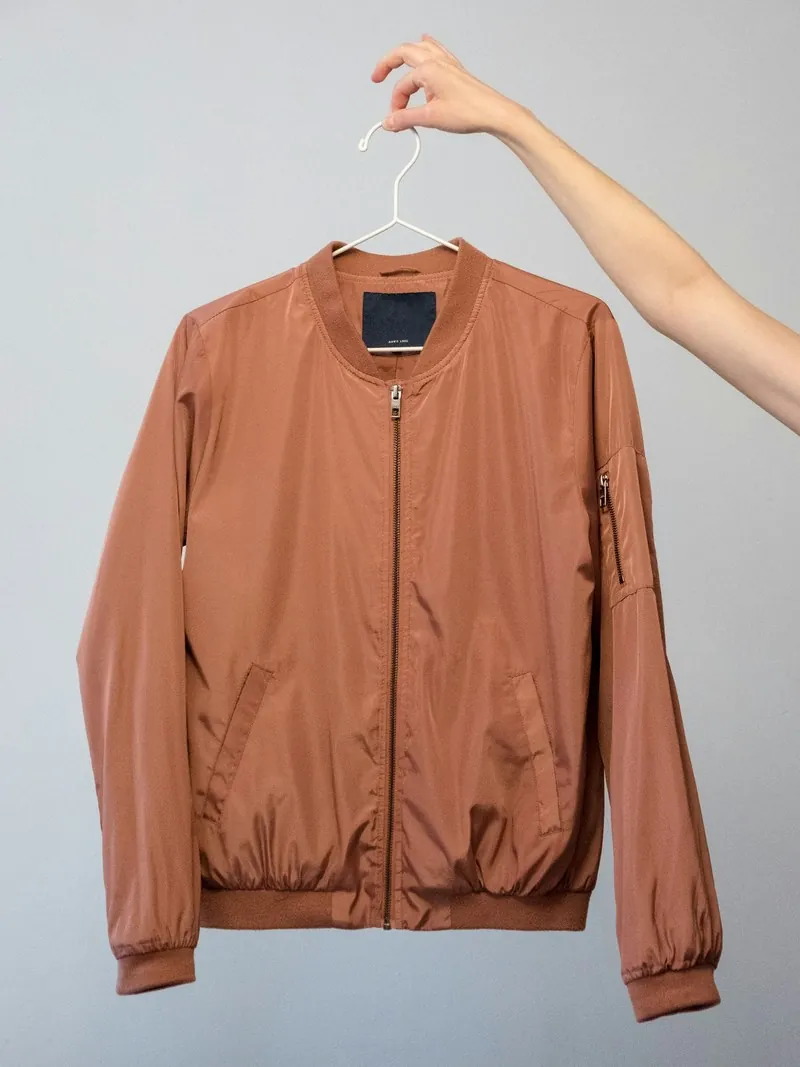
Street style, from a hanger photo.
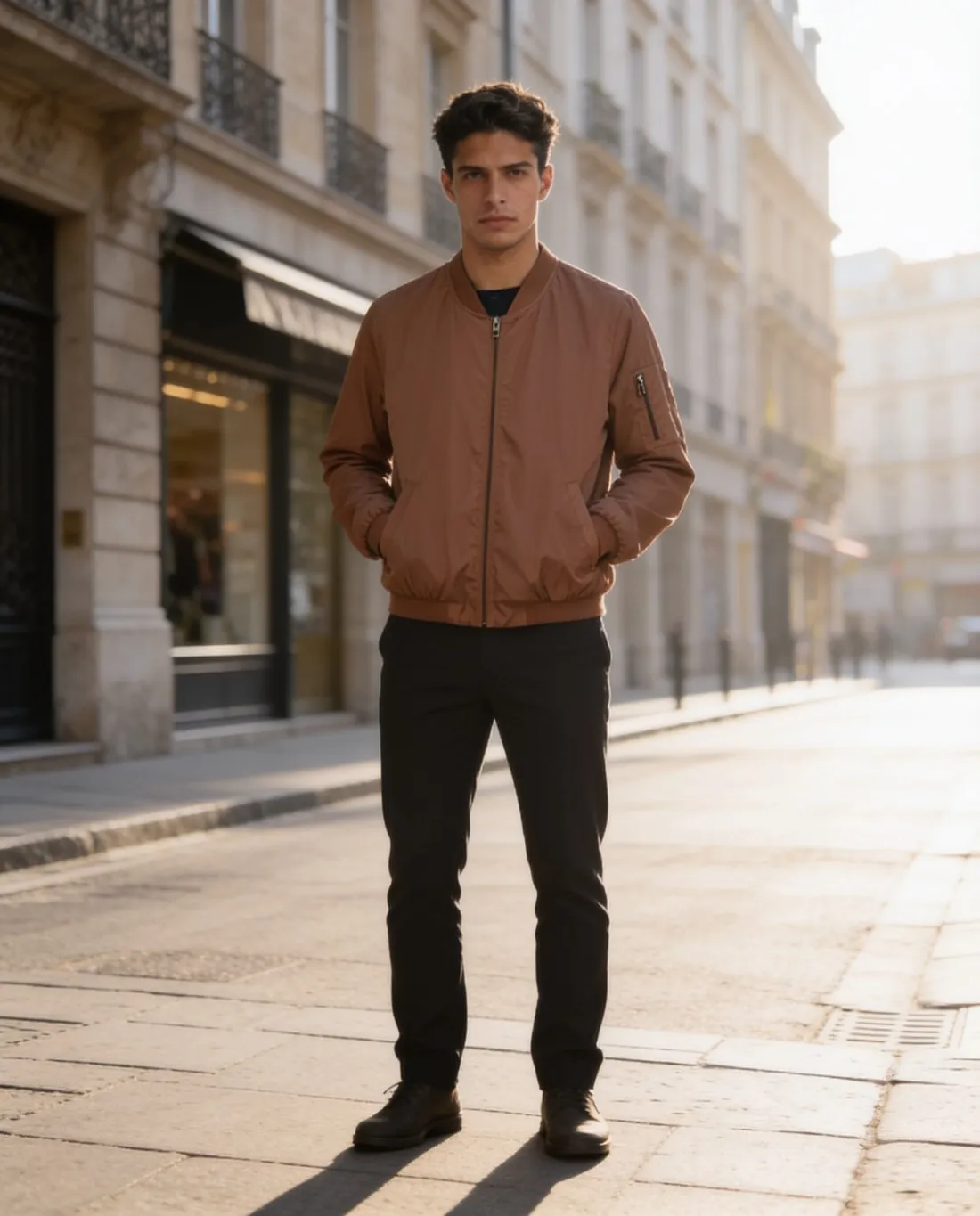
Outerwear, denim and tailoring are worn on pavements, and a street behind the model says so at a glance. Herofab dresses a model in the garment and places the image on a city street, from one photo of the product on a hanger or laid flat.
What a street image has to keep clear.
- 1
The garment in front of the city
Shop fronts, railings and parked cars are busy shapes. The garment has to stay the sharpest and brightest thing in the frame. On the result, see that no sign, window or lamp post reads as part of the garment's outline or sits behind the collar like an extra detail.
- 2
Hands, pockets and openings
Street poses put hands in pockets and let a jacket hang open. Both hide something: a pocket flap, the button row, the lining. Decide which detail matters for the product and choose the pose around it, then count buttons and pockets against the real piece.
- 3
Dark cloth in city light
Black, charcoal and navy lose their texture against a shaded street, and golden hour can warm them towards brown. Herofab is briefed to keep the colour; compare it with the garment, and look for the weave, the rib or the quilting that tells one dark fabric from another.
Photographing outerwear for a street image.
- Hang the jacket or coat with the front closed the way it is usually worn, sleeves falling straight, and keep the hem inside the frame.
- Use even light on dark cloth and step close enough that the texture is visible; a flat black shape gives the image nothing to carry over.
- Add a close-up of the trim that defines the piece, such as a zip pull, a cuff, a badge or a contrast lining at the opening.
AI fashion photos on a city street, answered.
Which poses work on a street?
Walking, standing, three-quarter and hands in pockets all sit naturally on a pavement. Walking shows how a coat or wide trousers move; a three-quarter stance shows a side seam and a pocket. Several poses of the same model can be ordered together for one product page.
Can accessories be added to a street look?
A location image can be ordered plain or with accessories. Accessories are there to finish the look and should stay off the product: nothing worn over it and nothing covering a pocket or a print. If one hides a detail, order the plain version.
Is the street a real, recognisable place?
No. It is a generated city street, not a photograph of a named location, and the model is synthetic, not a photographed person. Every image Herofab delivers carries a machine-readable AI marker in the file.
How much does it cost?
5 credits per image, plus one credit for 4K. The cost is shown before you generate, and if a job fails the credits are returned. The 20 free credits at sign-up cover 4 images with this tool.
Your next collection, shot this week.
20 credits at sign-up, no card required. Images made with free credits carry a watermark.