How can I put my earrings on a model from a product photo?
Upload a plain photo of the earrings to Herofab's Jewelry studio, select earrings as the type and choose a model. Herofab shows them worn in a close-up of the head in three-quarter profile, and is briefed to keep every stone, the metal colour and the shape.
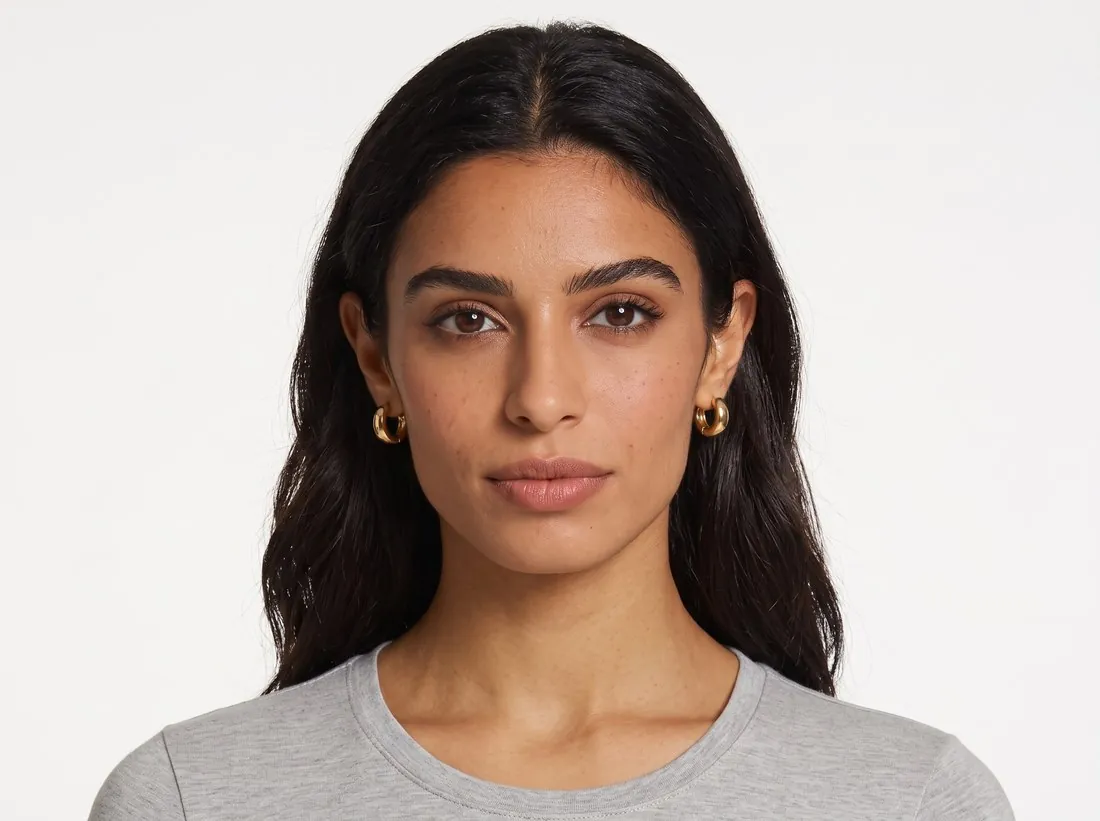
Three steps from the flat photo to the ear.
- 1
Photograph and upload the pair
Take one sharp photo of the earrings with every stone and the clasp visible and upload it to Jewelry studio. A separate close-up of a setting or a hallmark can be added, so small details reach the brief at a readable scale.
- 2
Select earrings and a model
Jewelry studio asks for the type of piece before the job starts, because the type sets the frame. Then choose a ready-made model, one you created or a photo of a model you have permission to use, and a neutral or smiling expression.
- 3
Get the ear in close-up
The result frames the head in three-quarter profile with the hair tucked behind the ear. The model wears the pair; the ear facing the camera shows one earring, centred, in crisp focus and at its true size against the ear.
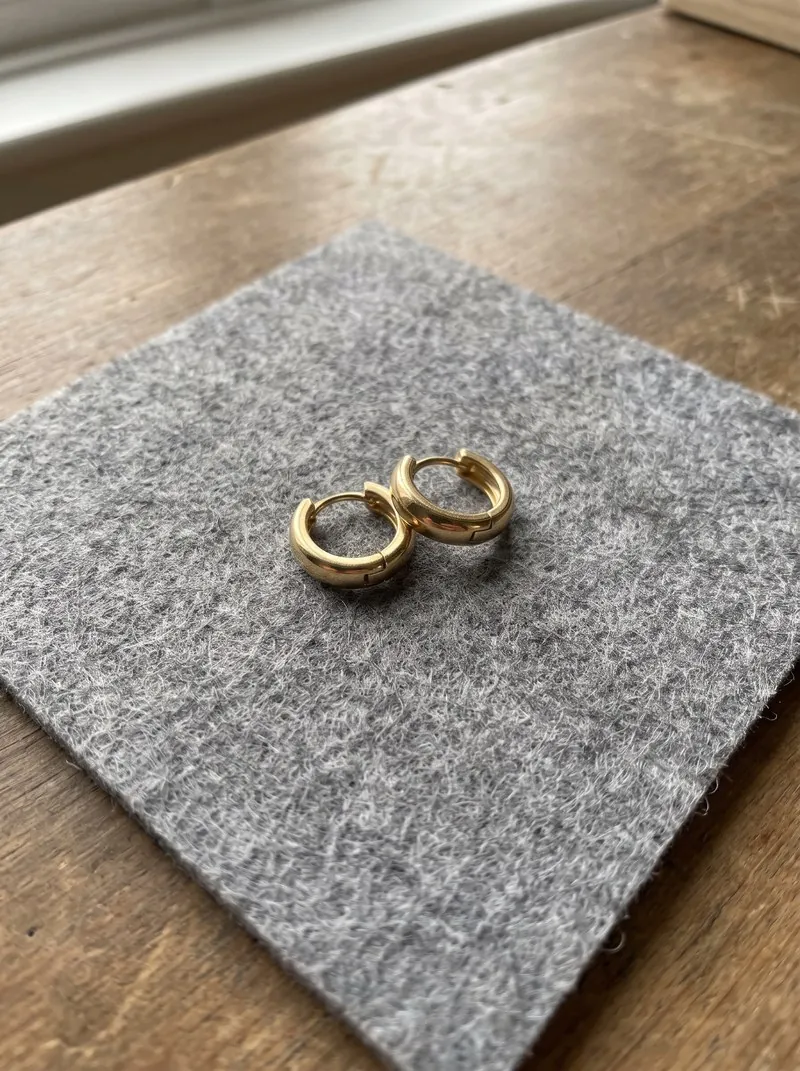
The earring photo Jewelry studio works from.
- Lay the pair flat side by side on a plain, matte surface, with an equal gap between them and no overlap.
- Work in window light without flash, and tilt the earrings slightly if the phone shows up in polished metal or a stone.
- Measure the drop before uploading and put the figure in the listing text; it also lets you check that the earring looks the right size on the model.
Earrings on a model photos, answered.
Will the photo show both earrings of the pair?
The model wears the pair, and the frame shows the ear facing the camera, so one earring is visible. That is the usual way earrings are shown worn; the flat photo of the pair can sit next to it in the listing.
Can the earrings be shown on my own model?
Yes. Upload a photo of the model and confirm that you have their permission, or create a model and save it to your library, so the same face wears every pair in a collection.
What should I check before publishing the image?
The stone count, the setting and any fine chain. The piece is briefed to stay as in your photo; small stones and thin links are the details worth comparing with the real pair. Pose and back view are not offered for jewelry.
How much does it cost?
5 credits per image, plus one credit for 4K. In US dollars that is $0.20 to $0.60 per image before tax, from the largest plan to the smallest credit pack. The cost is shown before you generate, and if a job fails the credits are returned. The 20 free credits at sign-up cover 4 images with this tool.
Your next collection, shot this week.
20 credits at sign-up, no card required. Images made with free credits carry a watermark.