
What is Nano Banana, and how does it relate to Gemini?
Nano Banana is Google's name for the image generation built into Gemini, and the name covers several models. In the Gemini app, Nano Banana 2 is available without a plan, Nano Banana 2.1 comes with a Google AI plan, and subscribers on Google AI Pro, Plus and Ultra can redo an image with Nano Banana Pro.
Developers reach the same family through the Gemini API, which has no free tier for these image models according to Google's pricing page, last updated 30 October 2026. The prices below are standard per-image rates in US dollars; Google lists lower Batch rates separately.
| Model | Gemini app | API price per image |
|---|---|---|
| Nano Banana 2 (Gemini 3.1 Flash Image) | Available without a plan | $0.067 at 1K, $0.101 at 2K, $0.151 at 4K |
| Nano Banana 2.1 | With a Google AI plan | $0.0336 at 1K, $0.0504 at 2K, $0.113 at 4K |
| Nano Banana 2 Lite (Gemini 3.1 Flash Lite Image) | Used when the Gemini model is set to Flash-Lite | $0.0336 at 1K; 1K output only |
| Nano Banana Pro (Gemini 3 Pro Image) | Redo with Pro on Pro, Plus and Ultra | $0.134 at 1K or 2K, $0.24 at 4K |
How do I do a product photoshoot with Gemini?
A Gemini product photoshoot starts with uploading the product photo and asking for a new image based on it. Google's help page describes the route: “Upload multiple images and ask Gemini to create a new image based on your uploaded images.” Editing continues in the same chat, which Google's developer documentation names as “the recommended way to iterate on images”.
Google Cloud's prompting guide of 6 March 2026 gives a useful formula: reference images, then a relationship instruction, then the new scenario. For a product, the relationship instruction is the part that protects the item. The same guide advises: “Be explicit about what to keep exactly the same.”
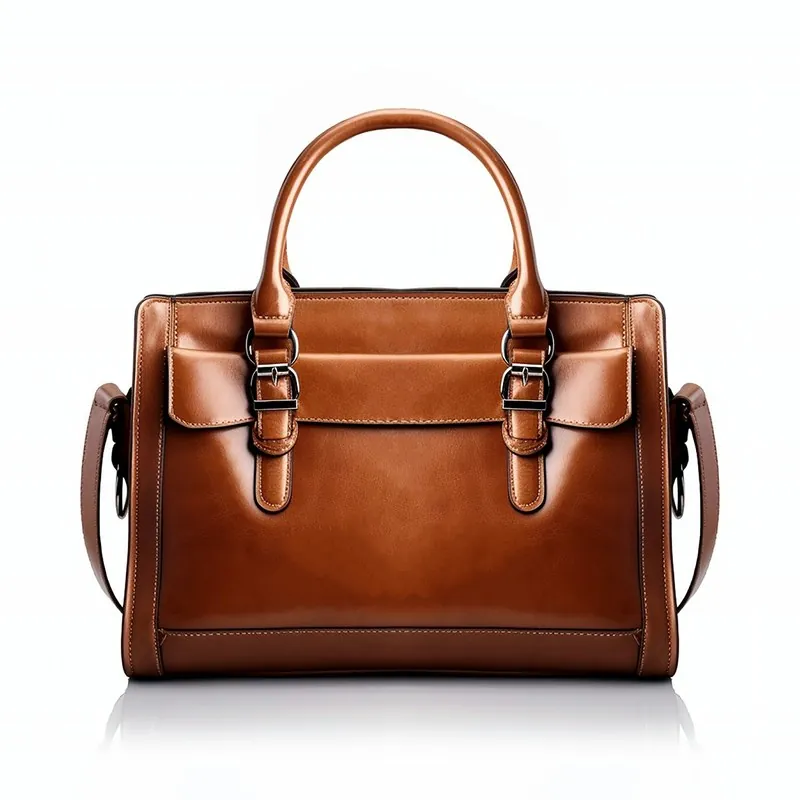
A prompt built on that formula: Using the attached photo as the only product reference, place this exact bag on a white marble surface beside a window. Use a three-point softbox setup and a soft shadow. Keep the shape, colour, stitching, hardware and logo exactly the same. Portrait 4:5. No text and no other products.
To change one element later, Google's documentation offers this pattern: “Using the provided image, change only the [specific element] to [new element/description].” It follows with “Keep everything else in the image exactly the same, preserving the original style, lighting, and composition.”
| Shot | What to ask for | What to check |
|---|---|---|
| Clean studio image | Plain backdrop, three-point softbox setup, soft shadow | Edges, proportions and true background colour |
| Styled scene | A named surface, a named room, one light direction | Scale against nearby objects and extra product parts |
| Close view | One named area of the product, from a real close-up photo | Invented stitching, texture and small text |
Copy prompt patterns for every product shot
Can Nano Banana or Gemini swap clothes on a model?
Yes: Gemini can attempt a clothes swap when a photo of the garment and a photo of the model are uploaded together, and Google Cloud offers a dedicated Virtual Try-On model for clothing. Google's Virtual Try-On documentation names virtual-try-on-001 and lists gemini-nano-banana-2.1, gemini-3.1-flash-image, gemini-3.1-flash-lite-image and gemini-3-pro-image as image models that support the job. The request takes a person image and a clothing image and returns one to four results.
Virtual-try-on-001 is a developer route: it needs a Google Cloud project with billing enabled. For most sellers, the Gemini app is the practical starting point.
Gemini's user guidelines limit swaps on real people. They list removing a real person's clothing or making it transparent as a violation. Use a photo of a real person only with that person's permission.
A swap shows a plausible garment, not proof of fit. Check the collar, print placement, hem, closures and any inside label against the real item.
See the full method for putting clothes on an AI model
Do Gemini images have a visible watermark and SynthID?
Gemini images carry a visible watermark unless the Media Watermark setting is switched off, and an invisible SynthID watermark that stays in every case. Google's help page, read on 31 October 2026, sets out the route: open Settings at gemini.google.com, select Media Watermark and switch it on or off. The page says the setting “doesn't affect SynthID watermarks or Content Credentials”.
In India, South Korea and Vietnam the setting appears only with an AI Ultra subscription; otherwise visible watermarks are applied automatically. The help page states no paid-plan condition for other countries.
Google's sources differ here, so check your own account. A blog post of 20 November 2025 said the visible mark stays for free and Google AI Pro users and is removed for Ultra subscribers and Google AI Studio. The help page carries no date, so the order of the two cannot be confirmed.
| Mark | Visible? | Can the user turn it off? | How to check |
|---|---|---|---|
| Gemini visible watermark | Yes | Yes, through Media Watermark, except as limited above | Look at the image |
| SynthID | No | No: all media made or edited in Gemini Apps includes it | Upload the image to Gemini and ask whether Google AI made it |
| Content Credentials (C2PA) | No: metadata | Not through this setting | Read the file's metadata |
Read the 2026 rules on AI product images
Does a visible mark matter for a listing?
A visible mark on a listing image can cause a rejection. Google Merchant Center lists “stock photo watermarks, copyright symbols, or graphic stamps” among the things to avoid in product images, so a visible Gemini mark is a risk worth removing through the setting rather than leaving in place. AI-marking rules are a separate question, covered in the rules guide.
What resolution do Gemini image downloads have?
Gemini app downloads are 1K without a Google AI plan and 2K with one, according to Google's help page on creating images. The product overview page lists 2K resolution under the free Nano Banana 2 model, so Google's sources differ. The help page is the more specific one on downloads; the file you receive settles the question.
4K output comes through the Gemini API on Nano Banana 2, 2.1 and Pro. Google Merchant Center requires at least 500 x 500 pixels for all products from 31 January 2027, and recommends about 1500 x 1500 pixels or more for best performance. A 1K image clears that minimum but falls short of the recommendation, so an upscale may be needed. Upscaling adds pixels; it does not restore a detail the image lost.
Upscale a product image to 4K in the browser, free
Can I use Gemini and Nano Banana images commercially?
Google does not claim ownership of generated images, but the pages read for this guide do not state a commercial licence in those words. Google's Terms of Service, effective 30 July 2026, say “Google won't claim ownership over that content”. The Gemini API terms say the same and add that you are responsible for your use of generated content.
Three limits apply to sellers. Gemini's user guidelines forbid “automated or repetitive commercial or promotional content (spam)” and deceptive activity. Google's prohibited use policy, last modified 17 December 2024, forbids claiming that generated content was made solely by a human in order to deceive. An image that misrepresents the product is also a consumer problem, whichever tool made it.
Ownership terms do not settle copyright or clear third-party rights such as logos and likenesses. This is a summary of Google's published terms as of 31 October 2026, not legal advice.
Read whether AI images can be used commercially
Does Google use my product photos to train Gemini?
Google can use Gemini app activity to train its AI models while Keep Activity is on, and a subset of chats is read by human reviewers. Google's privacy hub says that with the setting off, future chats are not used to train AI models unless you send feedback. Turn it off in Gemini Apps Activity before uploading unreleased designs.
Developer use differs. Under the Gemini API terms, content sent to unpaid services can be used to improve Google's products, except for users in the European Economic Area, Switzerland or the United Kingdom, while prompts and responses on paid services are not.
When is Gemini the wrong tool for product photos?
Gemini is the wrong tool when an image must reproduce exact text, a logo or a fine detail. A user on Google's developer forum reported on 30 September 2025 that “the logos are changed regardless of the prompt highlighting to keep the product ‘exactly the same’”. That is one report, not a measured rate, but it matches the limit sellers should expect.
A real photo is the better choice for readable labels, jewelry with counted stones, fit and drape, and flagship products. Usage limits also constrain catalogue work: Google's limits page describes compute-based limits that refresh every five hours up to a weekly limit, its image help page refers to a daily quota, and neither gives a fixed number of images. For repeated images, the Gemini API or a dedicated tool gives more predictable volume.
Read how to stop AI changing your product
Checklist
- Compare the image with the real item at full size, colour first.
- Read every letter of the logo and label.
- Confirm whether a visible mark is on the file you downloaded.
- Check the pixel size of the download against your marketplace.
- Confirm Content Credentials or other AI metadata survive your resize.
- Check Keep Activity before uploading an unreleased product.
Sources
- Google: Gemini AI image generator overview
- Gemini Apps Help: Create images
- Gemini Apps Help: Limits and feature availability
- Gemini Apps Help: Manage watermark settings
- Gemini Apps Help: User guidelines
- Gemini Apps Help: Privacy hub
- Google AI for Developers: Image generation
- Google AI for Developers: Gemini API pricing
- Google AI for Developers: Gemini API terms
- Google Cloud: Generate Virtual Try-On images
- Google Cloud: Ultimate prompting guide for Nano Banana, 6 March 2026
- Google: Nano Banana Pro announcement, 20 November 2025
- Google: Terms of Service, effective 30 July 2026
- Google: Generative AI Prohibited Use Policy
- Google Merchant Center Help: Image link
- Google AI Developers Forum: How to keep logo intact on a product image
Checked 31 October 2026. Rules change; the official pages are the final reference.