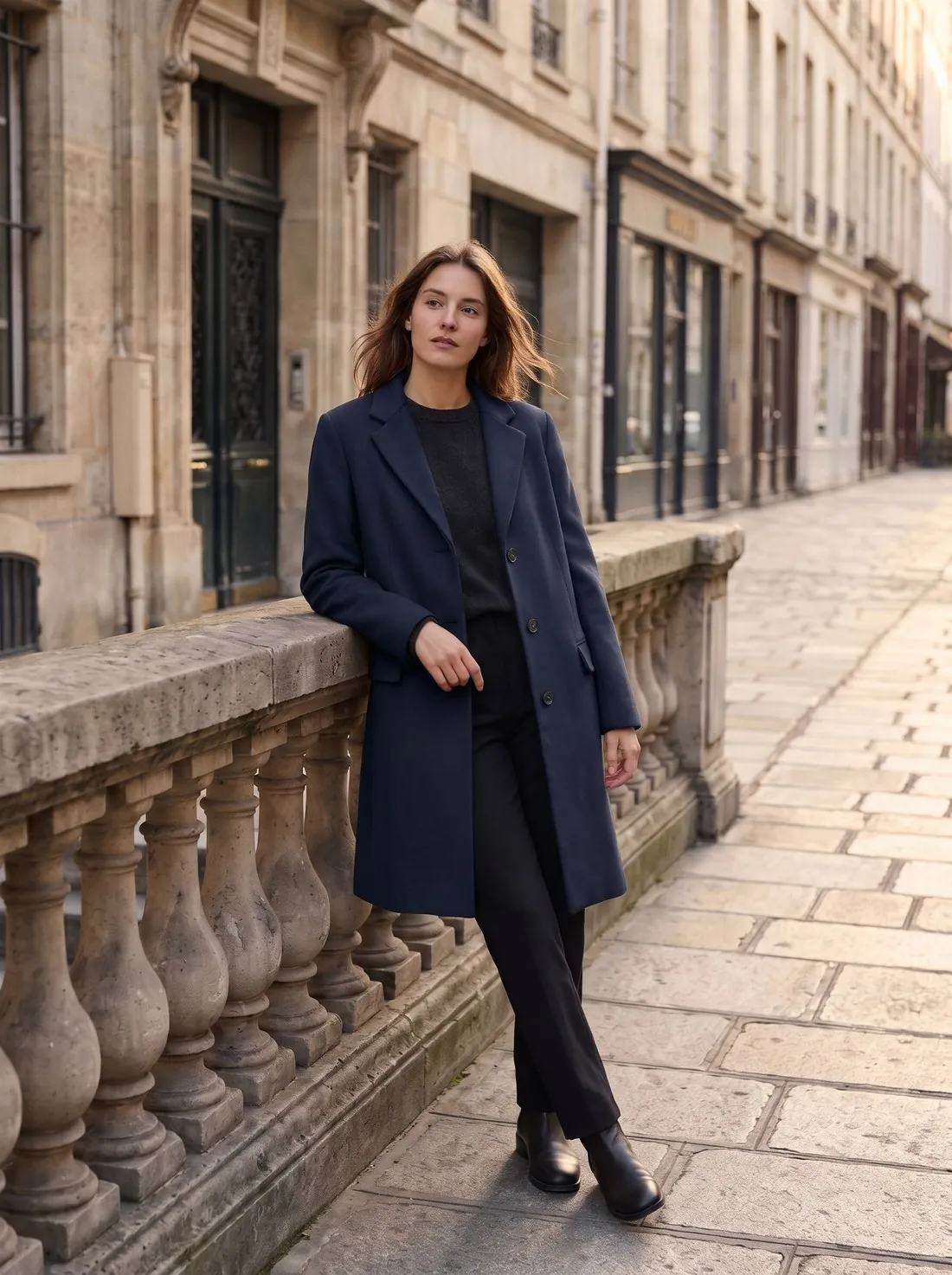
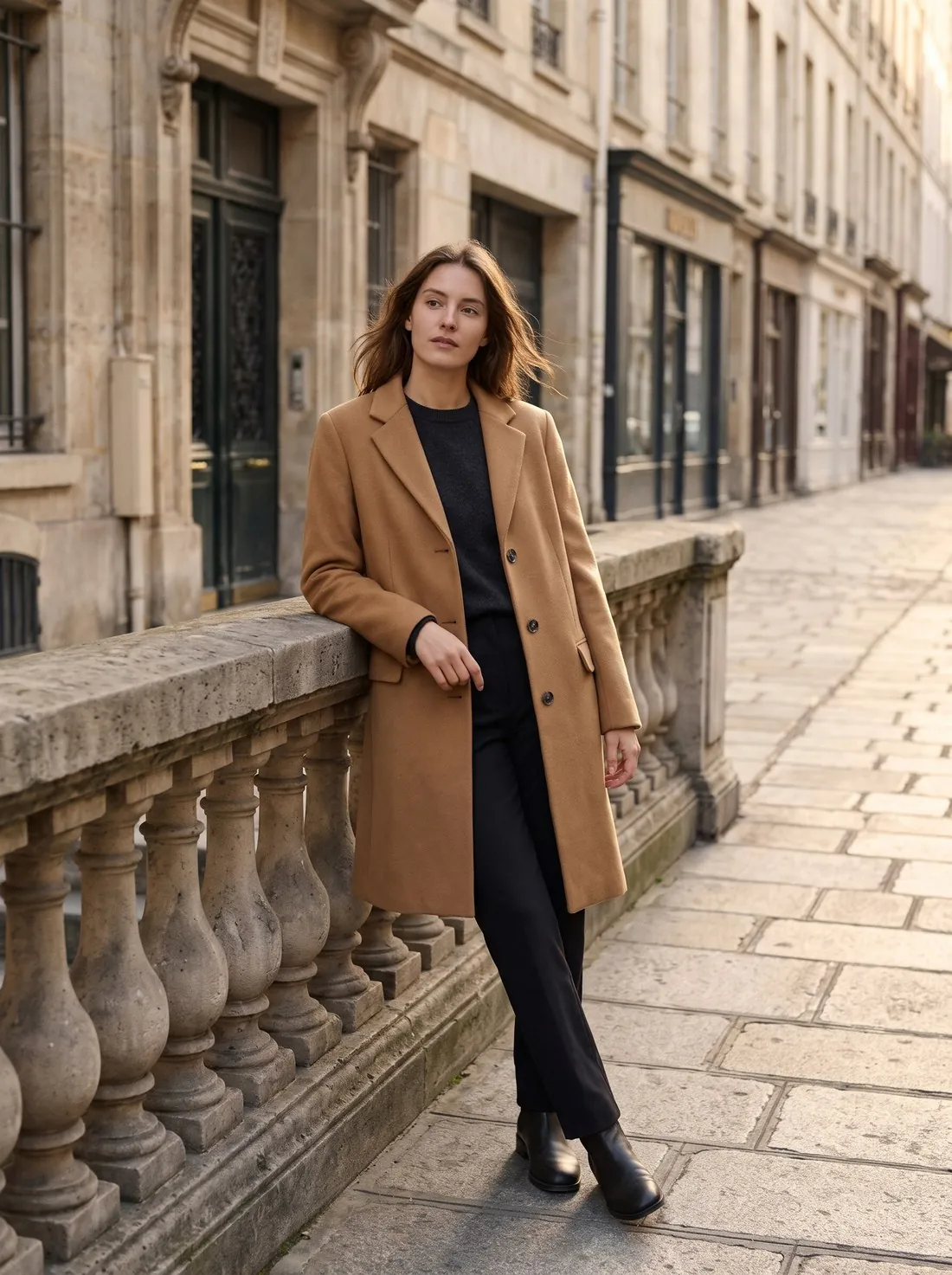
When a product comes in several colours, shoppers expect each colour choice to switch the photo. Shooting every colour multiplies studio time; recolouring one photo is faster, as long as the fabric and details stay true.
Colour accuracy matters most here: the image has to match the colour the customer receives.
How a listing uses colour variant images
A listing with colours has two layers of images: those assigned to one colour option and those shared by all options. When a shopper selects a colour, the gallery switches to the images assigned to it. An image left unassigned is shown for every colour, which suits a size chart and misleads when the picture shows the product in one particular colour.
The same link works outside the product page. Some marketplaces and shop systems show the image of the colour a shopper filtered or searched for, and some show each colour as a tile of its own in the results. In both cases the first image of each colour does the work of a main image. The rule rows further down quote what a few marketplaces publish.
One matching set for every colour
A set works when switching the colour changes the colour and nothing else. That requires the same views in the same order for every colour, with the product at the same size and in the same position in the frame. Where the framing differs, the product seems to jump as a shopper moves from one colour to the next.
Not every view has to be repeated in full. The first image and the views in which colour matters, such as the front, the back and a close-up of the fabric, are needed for each colour. A drawing with measurements or a diagram of the construction can be shared by all colours, since it states no colour of its own.
Where colour variant images go wrong
The plainest fault is a wrong link: the picture of one colour attached to the option of another, or a new colour added to the listing without pictures of its own. It is found by clicking through every option on the published page, not by looking at the upload form.
Recoloured sets have faults of their own. Black and white are the hard targets, because they differ from other colours in lightness and not only in hue, and folds and texture are easily lost on the way. Parts that should keep their colour, such as a white sole, a metal buckle or contrast stitching, can be tinted along with the body. Both faults show at full size and are missed in a small preview.
Colour variant images and related terms
- Colourway
- A colourway is one colour version of a style, decided when the product is designed. Colour variant images are the photographs that represent it on a listing; the term describes pictures, not the product.
- Fabric swatch
- A fabric swatch shows the material without the product, at close range. A colour variant image shows the whole product in that colour, so it answers how the colour sits on the shape, which a swatch leaves open.
 Main image
- The main image is the first image of a listing and carries the strictest rules. Where a listing has colours, each colour usually has a first image of its own, and that image is held to the main image rules as well.
- Number of images
- The number of images is the limit a marketplace sets for a listing. Whether that limit applies to the whole listing or to each colour decides how many views one colour set can contain.
A checklist for a set of colour variant images
- Every colour option on the published page switches the gallery to pictures of that colour.
- Each colour has the same views in the same order, and the product keeps its size and position in the frame from one colour to the next.
- The first image of each colour shows that colour alone and meets the rules that apply to a main image.
- Parts that do not change with the colour, such as soles, buckles, labels and contrast stitching, have their real colour in every picture.
- Folds, seams and the texture of the fabric are still visible in the darkest and in the lightest colour of the set.