AI fashion photography, directed from one garment photo.
A fashion shoot is a list of decisions: who wears the piece, how they stand, where and in what light. Herofab turns those decisions into settings and applies them to a single photo of the garment, taken on a hanger or laid flat.
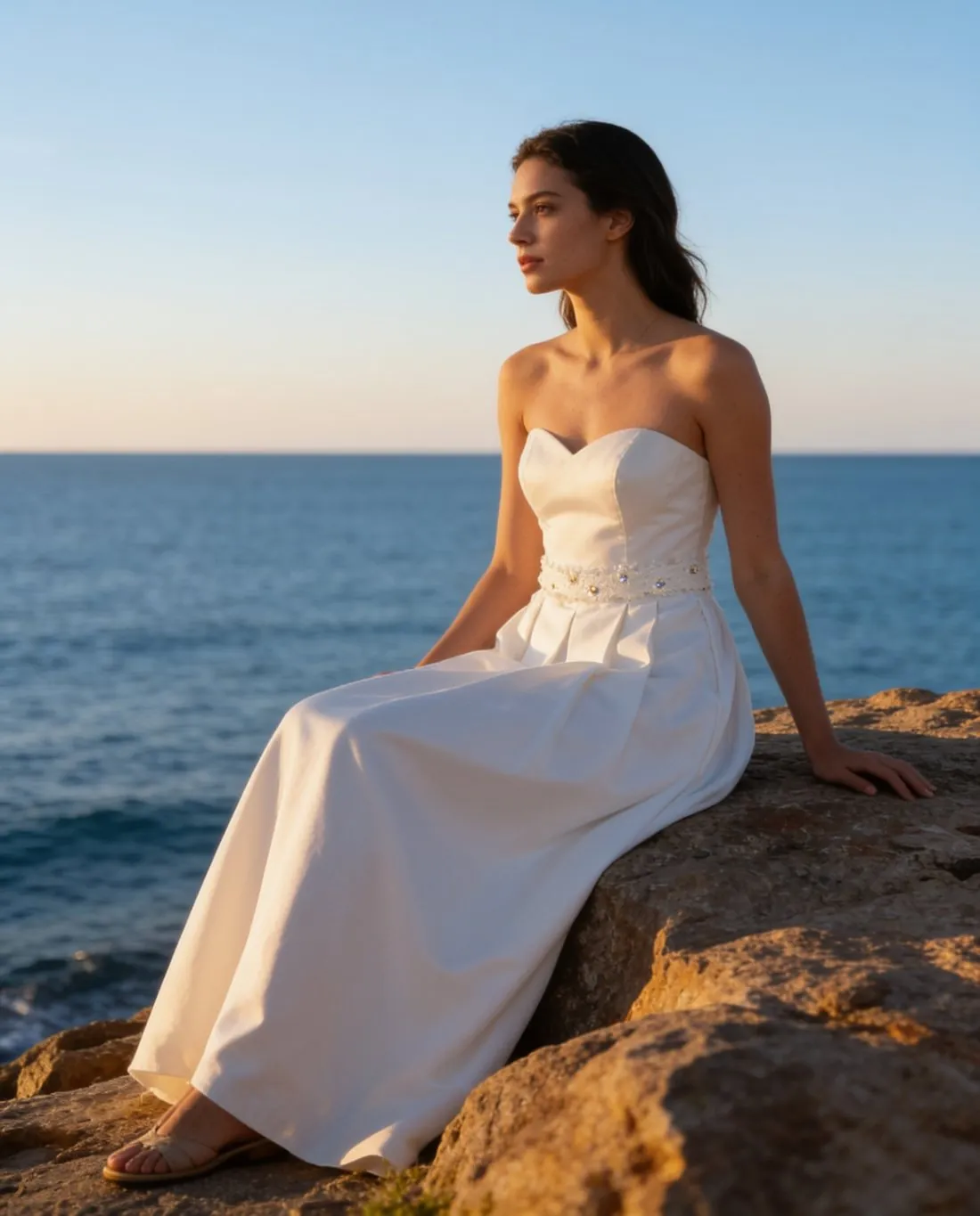
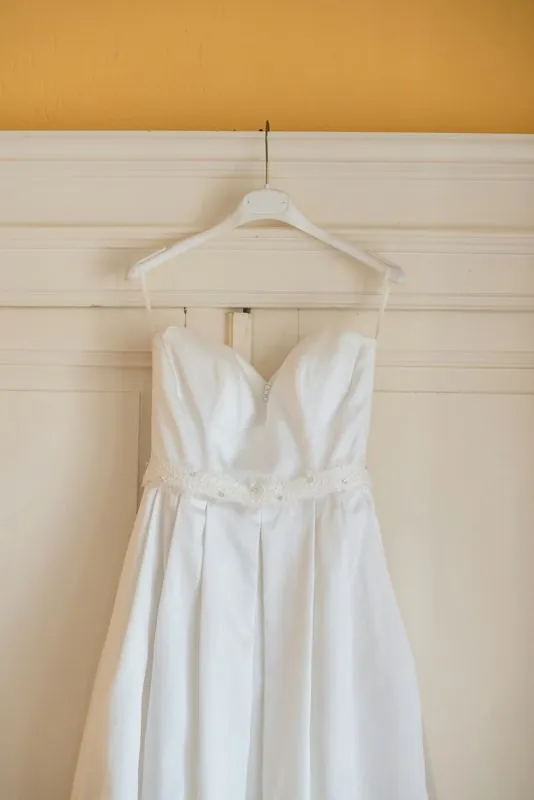
The decisions of a shoot, made as settings.
- 1
Model and pose
Cast a ready-made model or one created for the brand, then pick from standing, three-quarter, walking, hands on hips, hands in pockets, arms crossed, leaning, sitting, looking away and close-up. Several poses of one model can be ordered as a series.
- 2
Location
Six places stand in for a location day: seaside rocks, a wooden pier, a city street, a Mediterranean village, a café terrace and a garden. A studio white or studio grey image of the same garment covers the catalogue, and a seller's own image can serve as the background too.
- 3
Light and the garment's colour
The light is the scene's own, morning, golden hour or overcast. Warm light flatters a setting and can also shift how a fabric reads, so compare the colour of the garment in a golden-hour image with the piece itself before publishing.
The one photo a whole series starts from.
- Shoot the garment straight on and whole, on a hanger, a mannequin or laid flat; every image in the series is built from this one photo, so its sharpness is worth a second take.
- Use even daylight without a colour cast, since the garment's colour is taken from the source before it is placed under morning, golden-hour or overcast light.
- Add a back photo and a detail close-up with the front, so prints behind and small details are on record before the series is ordered.
AI fashion photography, answered.
Is AI fashion photography a replacement for a campaign shoot?
It covers the product-page work: on-model images of each garment, in several poses and settings, from a phone photo. It does not claim to be more than that. Models are synthetic, the fit follows the size chosen, and each image should be checked against the garment before it is published.
How do I keep a series consistent from one garment to the next?
Save the model to the library and reuse it, and keep to the same location, light and aspect ratio for every piece. A delivered image can also be sent straight to the pose tool, where the same person, garment, background and light are briefed to stay.
Do generated fashion images have to be marked as AI?
Herofab writes a machine-readable AI marker into the file of every image it delivers, and its models are synthetic, not photographed people. Rules on visible labels differ from one sales channel to another, so the seller should check those of the channel where the image will appear.
How much does it cost?
5 credits per image, plus one credit for 4K. The cost is shown before you generate, and if a job fails the credits are returned. The 20 free credits at sign-up cover 4 images with this tool.
Your next collection, shot this week.
20 credits at sign-up, no card required. Images made with free credits carry a watermark.