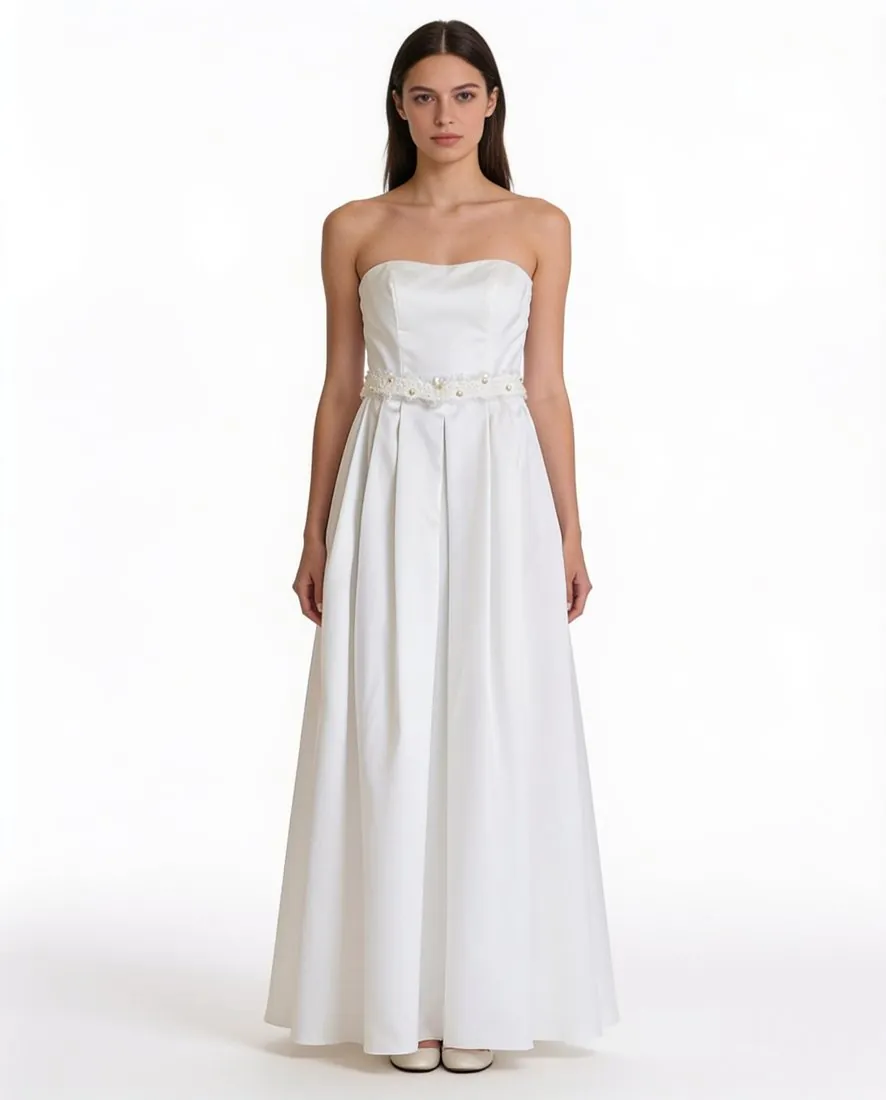
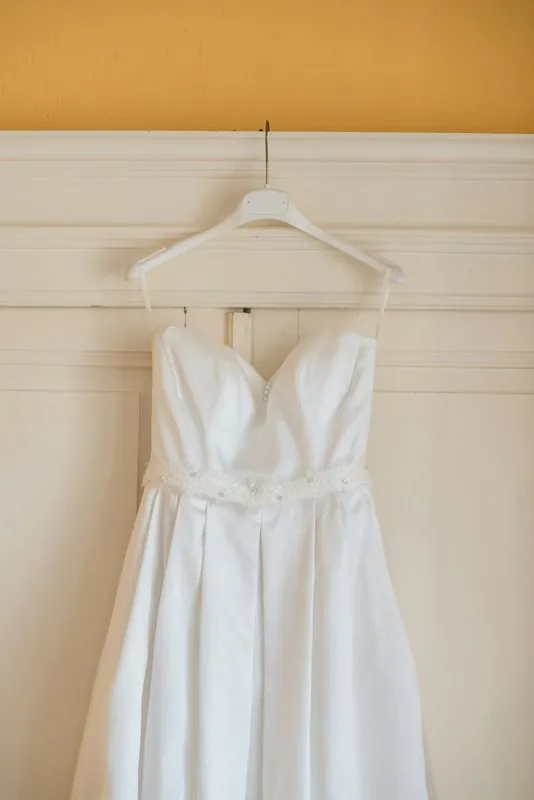
What an on-model dress photo has to carry
A dress is read from the top down. The neckline sets the character of the garment, whether sweetheart, square, V or high; straps or sleeves decide how much shoulder shows; the waist seam fixes where the bodice ends and the skirt begins. Below it the image has to show how the fabric falls, where the hem lands on the leg and whether it is straight, curved or asymmetric. On a printed dress, the scale of the motif and where it sits against the seams belong to the design as much as the cut does.
For the dress category, Virtual try-on is briefed to keep the neckline, the waist seam, the length and any pleating, together with the colours, the pattern scale and the sleeve and hem length that every garment brief names. By default the dress is shown with simple footwear only, and no extra layer covers it. Before publishing, compare the strap width, the position of the waist and the point where the hem ends with the dress itself, and look closely at fine lace, beading and small-scale prints.
Photographing a dress as the source for try-on
Hang the dress on a slim hanger or lay it flat, and photograph it straight on with the whole garment in the frame, from the top of the straps to the hem. A long dress needs height: hang it high enough that the skirt does not pool on the floor or bend against furniture. Smooth the skirt so that pleats and gathers fall as they are sewn, close zips and buttons, and tuck hanger loops inside so that they are not mistaken for straps. A part that is cropped or hidden in a fold cannot be added back faithfully.
Soft daylight from a window shows the fabric more truthfully than a ceiling lamp. The try-on is briefed to treat a colour cast as light and not as the colour of the dress, but an evenly lit photo leaves less to interpret. The front is required. Add a back photo when the back carries a zip, a low cut, a bow or a print, and a close-up when beading, embroidery or lace is too fine to read at full length. A phone photo is enough for all of these.
What the same dress photo can become next
One upload is the start of a set. In Virtual try-on the same dress can be ordered in several poses of the same model together, so a standing front view is joined by a three-quarter turn or a walking frame that shows the skirt in movement. A front and a back view can be delivered as one set. The background can move from studio white to studio grey, an outdoor or lifestyle setting, or a location such as a garden or seaside rocks, in the scene's own light, morning light, golden hour or overcast.
Each delivered image can be sent straight to the next tool. Change pose adds a pose later without a new upload, Extend frame takes a portrait image to a square or landscape format without cropping, Detail shot frames the neckline or the hem, and Colour variants shows the dress in another shade. The original hanger photo also works for Ghost mannequin, which presents the dress as a 3D hollow-body shape or a clean flat lay with no model in the frame.