SHEIN main images, on a model, in 2K.
SHEIN lists its main image either at one upright size or as a square within a stated range, one per SKC and always in first position. Virtual try-on shows a garment worn by a studio model from a hanger photo. Square 2K output lies inside SHEIN's square range and square 4K output lies above it, so 2K is the size to use.
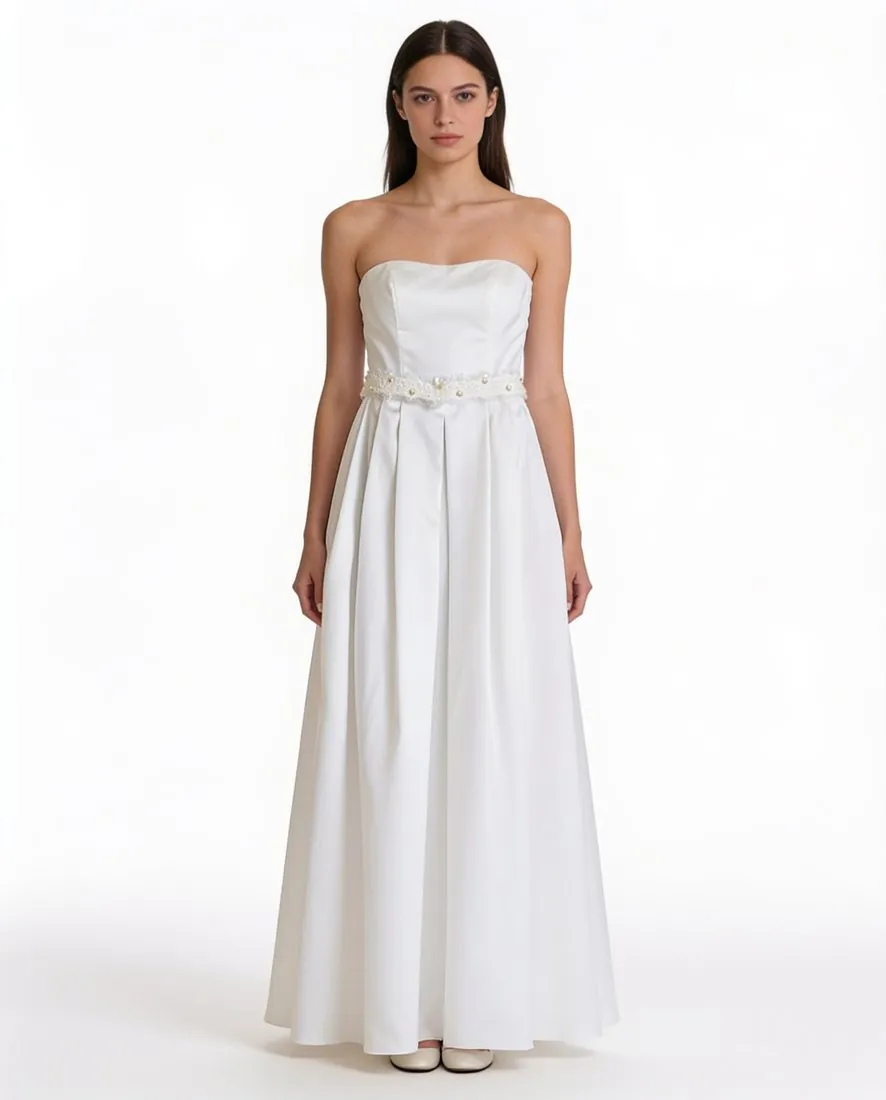
Where SHEIN's image list narrows the choice.
- 1
A square range with an upper end
SHEIN's square main image has a lower and an upper limit. Square 2K output is inside that range; square 4K output is above the upper limit, so 4K is not the setting for a SHEIN square. In the upright shape, three-by-four 2K output is larger than the size SHEIN lists and is resized to that listed size before it is uploaded.
- 2
Main image first, details after
Each SKC takes one main image, and it must be image number one. Detail images follow it up to the count SHEIN gives, and a square image is listed as an item of its own. Several poses of one model can be ordered together in Virtual try-on, so a standing front view can open the SKC while three-quarter, back and close-up views follow.
- 3
Requirements differ by category
SHEIN notes that image upload requirements differ by product category and by merchant and are confirmed per category before publishing. It also says that, for compliance, some products need actual photos of the product or its packaging with the compliance labels affixed. Those are the seller's own photographs, not generated images.
What SHEIN asks for.
Source: SHEIN Developer Platform (Open Platform) documentation — Product Images; Product Real-Product Photos. Checked 12 October 2026.
- Main image
- Required, 1 image per SKC, and it must be image number 1: 1,340 × 1,785 pixels, or a 1:1 width-to-height ratio within 900 to 2,200 pixels
- Detail images
- Up to 10 detail images after the main image; the SPU product carousel takes up to 11 images in total
- Square image
- 1 square image at a 1:1 ratio, from 900 × 900 to 2,200 × 2,200 pixels for an SKC; 1,200 × 1,200 pixels for the SPU square image
- Colour block image
- 1:1 ratio at 80 × 80 pixels; optional for a single SKC, required for multiple SKCs
- Site detail image
- Optional, up to 10 images, with a 3:4 width-to-height ratio and more than 900 pixels
- SKU image
- Conditionally required, 1 image, with the same specification as the main image; required when there are 2 or more SKU-level items
- Formats
- JPG, JPEG or PNG
- File size
- 3 MB or less per image
- Number
- 1 main image plus up to 10 detail images, 1 square image and, where required, 1 colour block image
- Category differences
- Image upload requirements differ by product category and by merchant, and are confirmed per category before publishing
- Real-product photos
- For compliance, some products need actual photos of the product or its packaging with the compliance labels affixed
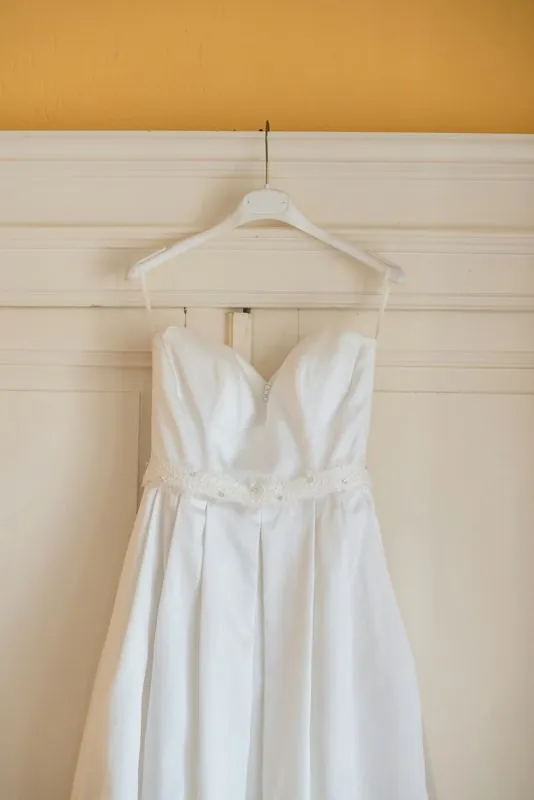
A hanger photo for a SHEIN main image.
- Hang the garment so that it falls straight and photograph the front square to the camera; the front is the view Herofab requires, and a back photo can be added for a print or a zip.
- Photograph every SKC of a style separately and in the same position: each has its own main image, and where a listing has several SKCs SHEIN also requires a colour block image.
- Where SHEIN asks for a photo of the compliance labels on the product or its packaging, take it as a plain, real photograph and keep it apart from the try-on upload.
Product photos for SHEIN, answered.
Should a SHEIN image be ordered in 2K or in 4K?
In 2K. SHEIN gives its square main image a range with an upper limit: square 2K output is inside the range and square 4K output is above it. The upright three-by-four output in 2K is already larger than the upright size SHEIN lists and is resized to it. The range and the listed upright size are both shown in the table on this page.
Which images does a SHEIN listing take besides the main one?
Detail images after the main image, a square image, an optional set of three-by-four site detail images and, for a listing with multiple SKCs, a small colour block image. An SKU image with the main image's specification becomes required when there are two or more SKU-level items. Try-on poses can supply main, detail and square views; the colour block image is prepared separately.
What is looked at before a file goes to SHEIN?
The weight of the file first: SHEIN caps it, and a 2K PNG can weigh more than the cap, so the JPG download is the safer file. Then the garment: small lettering, fine logos and detailed prints are compared with the real piece. Finally the category, because SHEIN notes that requirements differ by product category and by merchant.
How much does it cost?
5 credits per image, plus one credit for 4K. The cost is shown before you generate, and if a job fails the credits are returned. The 20 free credits at sign-up cover 4 images with this tool.
Your next collection, shot this week.
20 credits at sign-up, no card required. Images made with free credits carry a watermark.