Miinto product image requirements
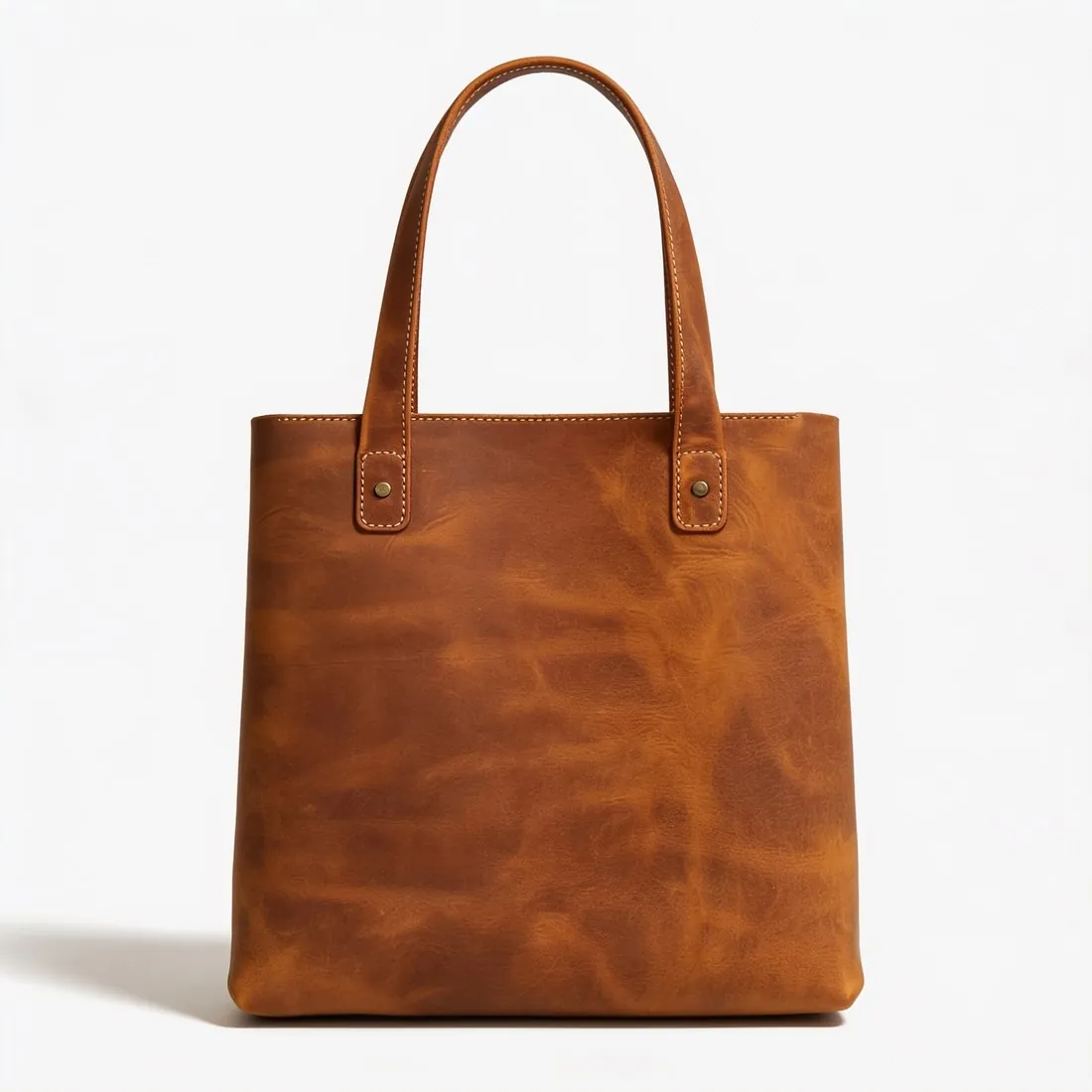
First image a packshot on white, no model; at least 3 images for clothes and shoes; 1,000 × 1,000 pixels recommended, 3 MB maximum.

All Miinto image requirements
Source: Miinto — Guidelines for products' images on Miinto (PDF, 2018); Miinto Integration help — Product Feed: Headers (24 September 2026). Checked 11 October 2026. Read again · 11 October 2026
- Main image
- A packshot on a white background is mandatory as the first picture: for clothes a plain front view, for shoes a side view of the right shoe; no model shot, no product shot with a background and no back view
- Number
- At least 3 images for clothes, shoes and bags; at least 2 for women's underwear and swimsuits and for shawls and scarves; at least 1 for watches, jewellery, belts, men's underwear, swimsuits and socks
- Size
- Recommended size 1,000 × 1,000 pixels
- File size
- Maximum 3 MB
- Formats
- The image guidelines name JPEG; the current feed specification accepts JPG and WEBP for the main image and only JPG for additional images
- Product fill
- The product takes up as much of the image as possible and is never cropped
- Background
- White for all product shots; for model shots Miinto prefers white or light backgrounds such as light grey
- Model images
- Only model shots provided by the brand are allowed; taking your own model shots is forbidden
- Not allowed
- A logo or text over the image
- Enforcement
- Miinto reserves the right to reject a product whose pictures do not comply
Main image
- Background colour
- White background
- Cut-off edges
- The whole product in frame, nothing cut off
Source: Miinto — Guidelines for products' images on Miinto (PDF, 2018); Miinto Integration help — Product Feed: Headers (24 September 2026) · checked 11 October 2026
What Miinto asks for, covered.
Miinto's first picture is a packshot on white with no model, so background removal on white and the ghost mannequin are the Herofab tools for it; square 2K output, at 2,048 pixels per side, is above the recommended 1,000 × 1,000. Miinto allows only model shots provided by the brand, so Herofab does not recommend virtual try-on images for Miinto unless the brand or Miinto confirms them. A 4K file can exceed the 3 MB limit, which the seller checks before upload.
Packshot on white
Background removal on white and the ghost mannequin show the product without a model, as Miinto's first picture requires.
Above 1,000 × 1,000
Square 2K output is 2,048 pixels per side, above the size Miinto recommends.
No own model shots
Miinto allows only model shots provided by the brand, so try-on images are not recommended here.
Miinto, answered.
What size should Miinto product images be?
First image a packshot on white, no model; at least 3 images for clothes and shoes; 1,000 × 1,000 pixels recommended, 3 MB maximum.
What should the main image look like on Miinto?
A packshot on a white background is mandatory as the first picture: for clothes a plain front view, for shoes a side view of the right shoe; no model shot, no product shot with a background and no back view. Source: Miinto — Guidelines for products' images on Miinto (PDF, 2018); Miinto Integration help — Product Feed: Headers (24 September 2026), checked 11 October 2026.
How many images per product on Miinto?
At least 3 images for clothes, shoes and bags; at least 2 for women's underwear and swimsuits and for shawls and scarves; at least 1 for watches, jewellery, belts, men's underwear, swimsuits and socks. Source: Miinto — Guidelines for products' images on Miinto (PDF, 2018); Miinto Integration help — Product Feed: Headers (24 September 2026), checked 11 October 2026.
How large can a product image file be on Miinto?
Maximum 3 MB. Source: Miinto — Guidelines for products' images on Miinto (PDF, 2018); Miinto Integration help — Product Feed: Headers (24 September 2026), checked 11 October 2026.
Which file formats does Miinto accept for product images?
The image guidelines name JPEG; the current feed specification accepts JPG and WEBP for the main image and only JPG for additional images. Source: Miinto — Guidelines for products' images on Miinto (PDF, 2018); Miinto Integration help — Product Feed: Headers (24 September 2026), checked 11 October 2026.
What background should product images have on Miinto?
White for all product shots; for model shots Miinto prefers white or light backgrounds such as light grey. Source: Miinto — Guidelines for products' images on Miinto (PDF, 2018); Miinto Integration help — Product Feed: Headers (24 September 2026), checked 11 October 2026.
What is not allowed in product images on Miinto?
A logo or text over the image. Source: Miinto — Guidelines for products' images on Miinto (PDF, 2018); Miinto Integration help — Product Feed: Headers (24 September 2026), checked 11 October 2026.
Can I check my images before uploading?
Yes. The free image size checker reads each file in your browser and tests it against these rules; the image is not uploaded.
Where do these figures come from?
From Miinto — Guidelines for products' images on Miinto (PDF, 2018); Miinto Integration help — Product Feed: Headers (24 September 2026), read on 11 October 2026. Marketplaces update their rules; the official page is the final reference.
Your next collection, shot this week.
20 credits at sign-up, no card required. Images made with free credits carry a watermark.